FMFV - Installation Manual
© 2018-19, Cornelius Inc. - 24 - Publication Number: 919000012INS
5
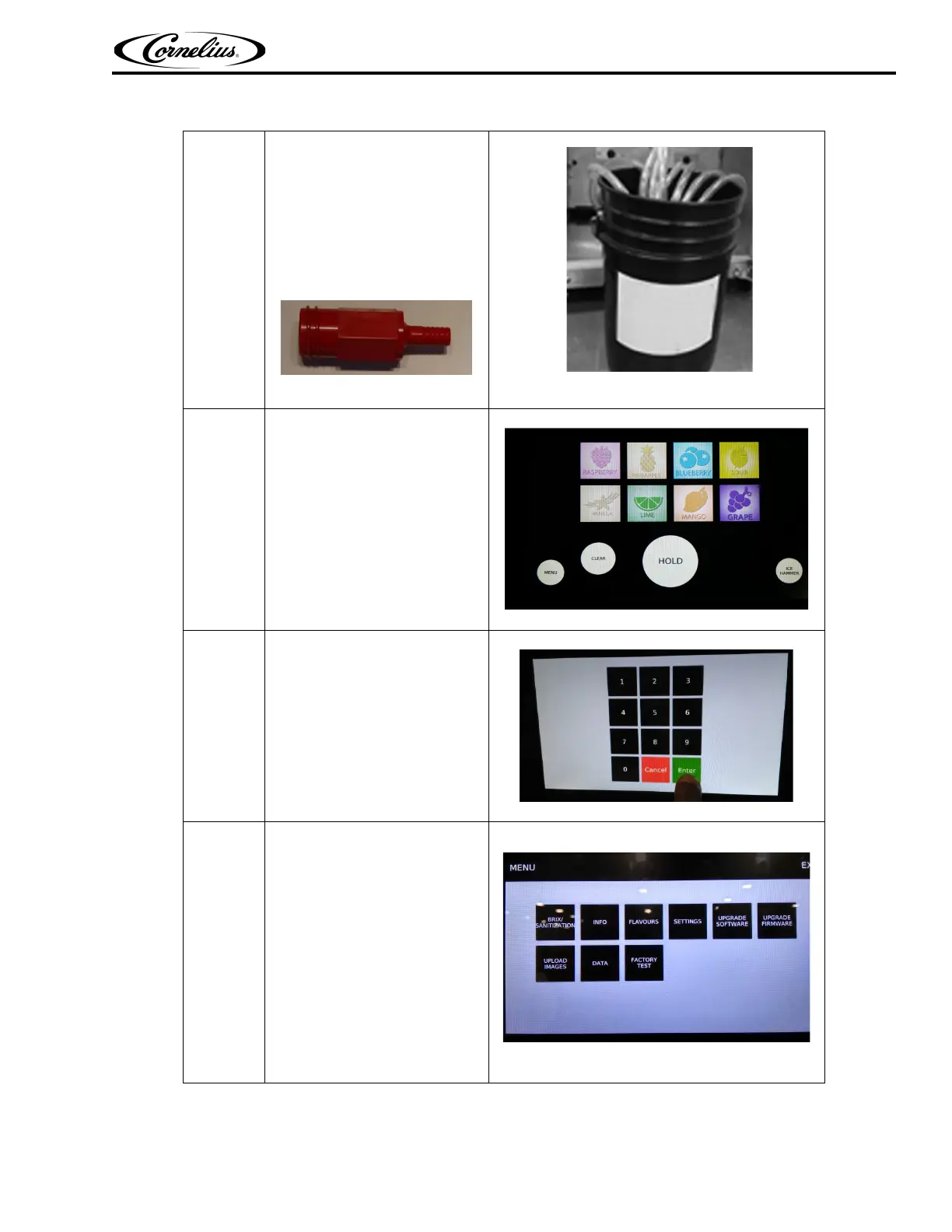
Connect a sanitizing fitting (P/N
28688) to the flavours BIB con-
nectors.
Immerse all BIB connectors con-
nected with sanitizing fitting (P/N
28688) in Detergent Solution in
the bucket.
NOTE: P/N 28688 is
available in viper
unit accessories.
Figure 39.
Figure 40.
6
Press “MENU” Icon on the Display
module.
Figure 41.
7
Input the password by Number
tab and press “ENTER”.
Figure 42.
8
Menu setting window will open.
Press “BRIX/SANITIZATION” tab.
Figure 43.
Table 8



 To Next Page