FMFV - Installation Manual
© 2018-19, Cornelius Inc. - 28 - Publication Number: 919000012INS
6.
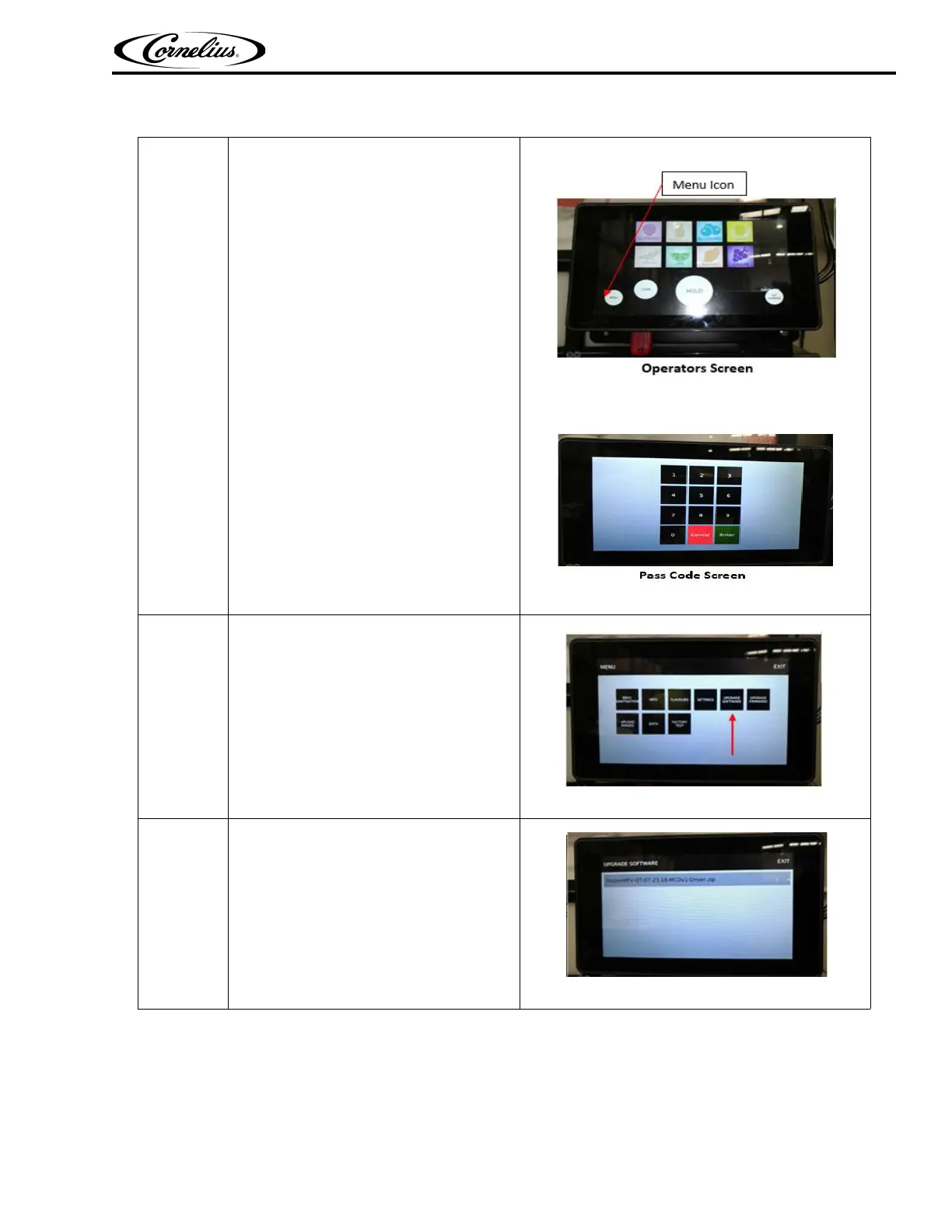
Press menu icon on FMFV Display-
Operator Screen; enter the Pass code
13795 to get access to technician menu.
Figure 51.
Figure 52.
7.
Press Upgrade Software Icon on the
screen.
Figure 53.
8.
Select the right upgrade file;
Example: FrozenMFV-QT-07.23.18-
MCDv1-Driver.Zip
Figure 54.
Table 9



 To Next Page