FMFV - Installation Manual
Publication Number: 919000012INS - 29 - © 2018-19, Cornelius Inc.
9.
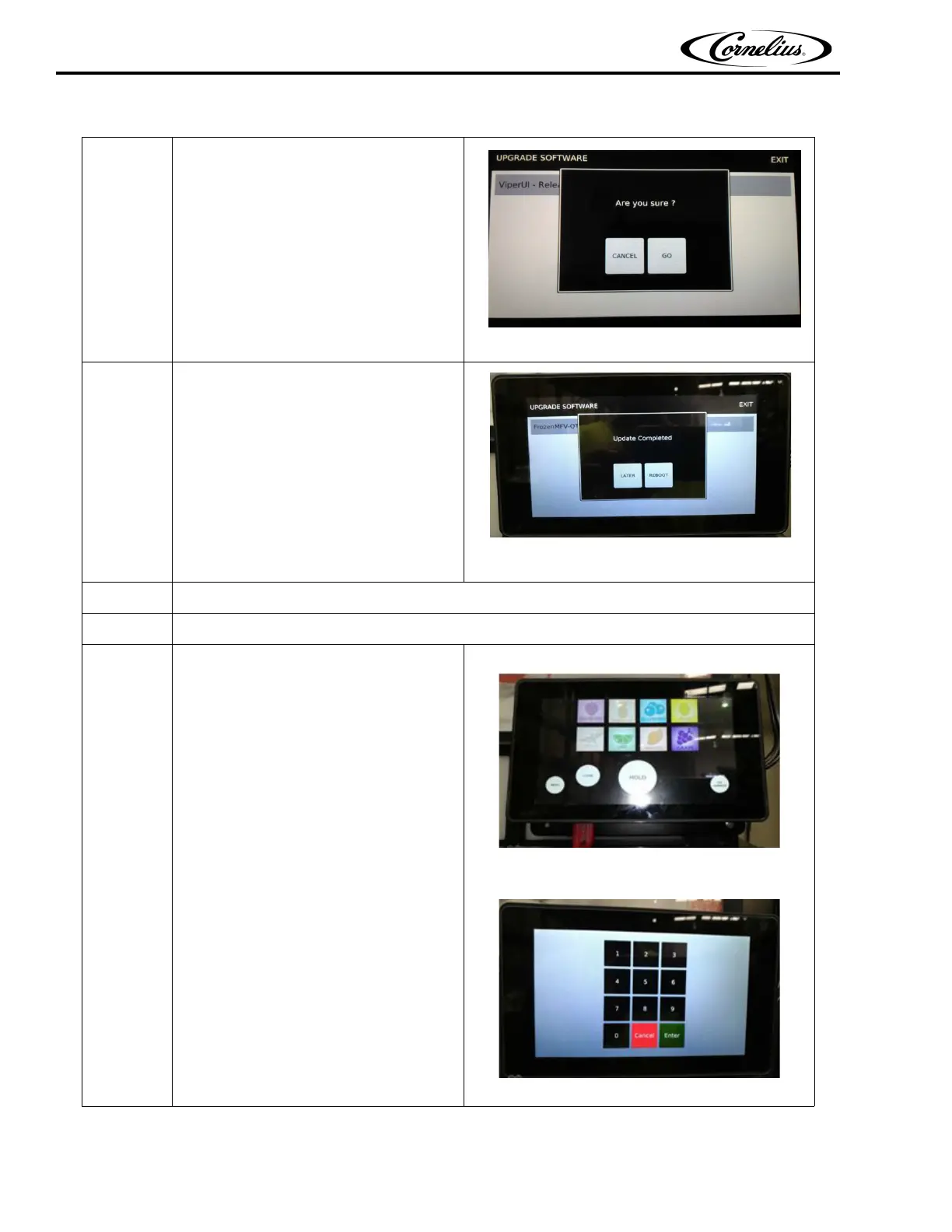
“Are you sure?” screen will pop up,
Press “Go” to continue.
Figure 55.
10.
A new window will pop up showing
“update completed “. Press Reboot icon.
Figure 56.
11. Wait till display reboots.
12. Repeat the step #6 to #11, Upgrade software one more time.
13.
Press menu and enter the
technician password code 13795.
Figure 57.
Figure 58.
Table 9



 To Next Page