FMFV - Installation Manual
© 2018-19, Cornelius Inc. - 30 - Publication Number: 919000012INS
14.
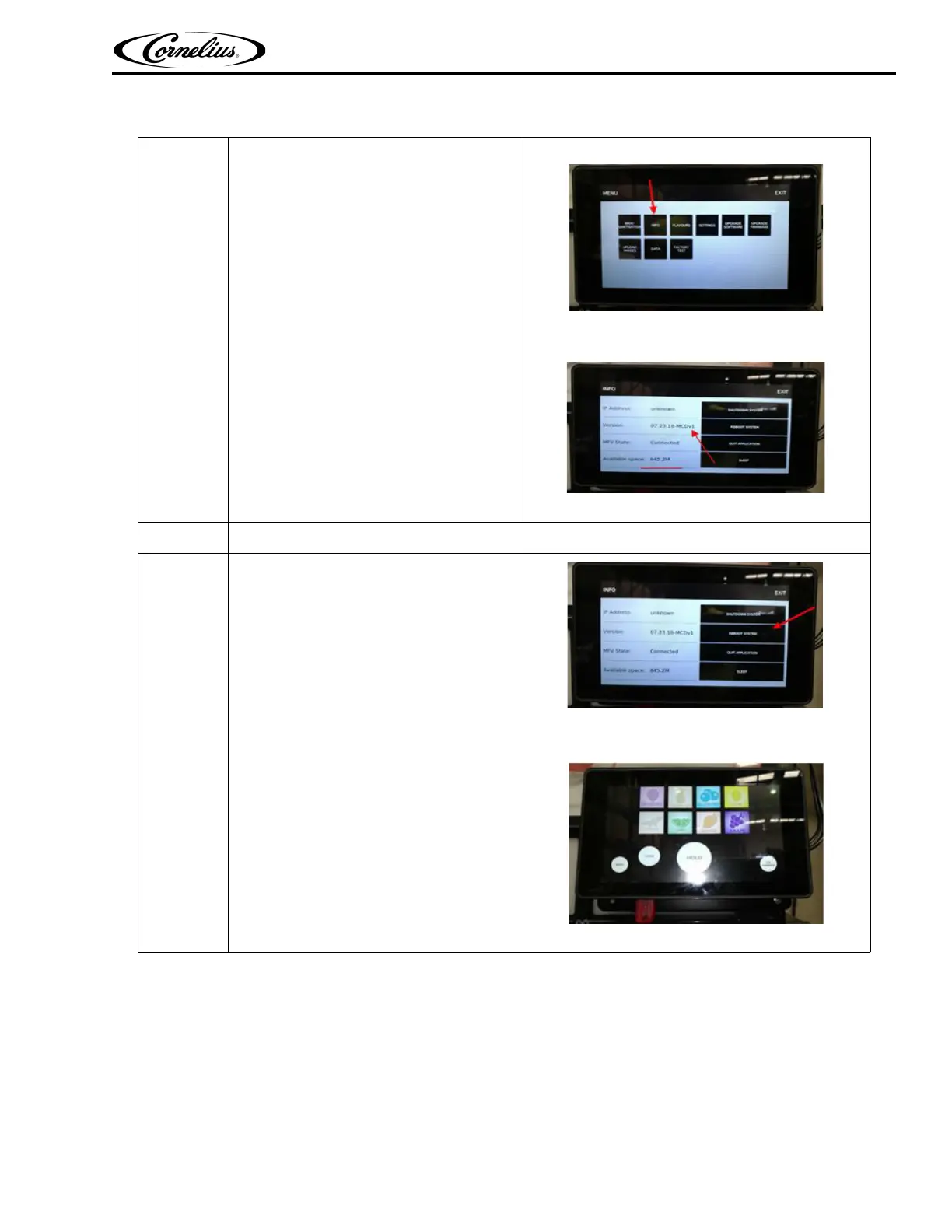
Press the INFO menu button and check
if a new the version:
Example: MFV-QT-07.23.18-MCDv1
appears and Available space should be
more than 800MB
Figure 59.
Figure 60.
15.
In “INFO” screen press reboot system.
16.
Display will reboot with new upgrade
software and is ready to use.
Figure 61.
Figure 62.
Table 9



 To Next Page