Preface Material
MA1000 Installation and Configuration Guide 8
2.1.2.1 Add-on Front Panel
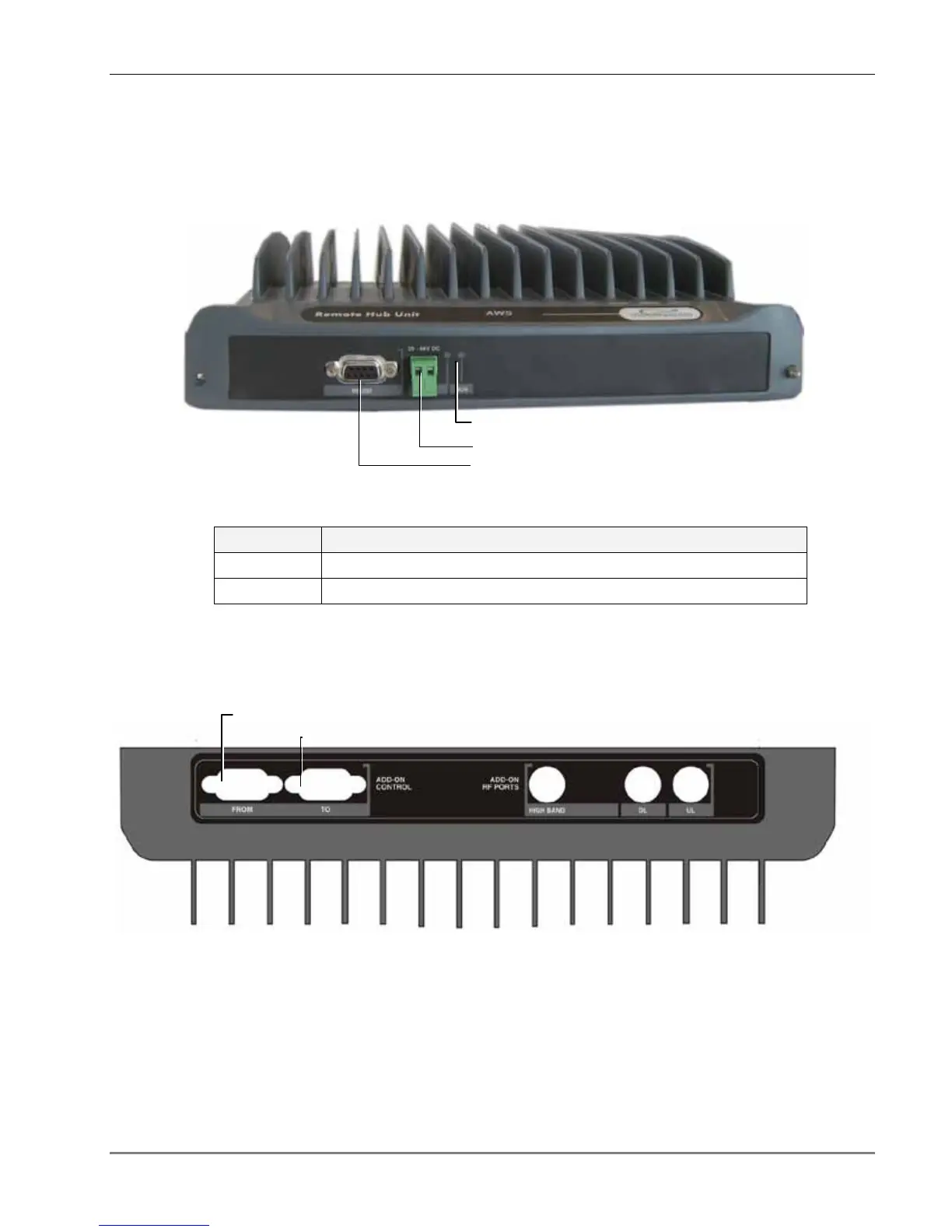
The RHU Add-on front panel contains the power connection and status LEDs. (The RS-232
connector is reserved for MA service personnel).
Figure 7. RHU Add-on Front panels
Table
2-3. Corning MOBILEACCESS Add-on Front Panel Indicators
LED Description
RUN When blinking, indicates that the RHU is in normal operating mode.
PWR Power ON
2.1.2.2 Add-on Rear Panel
The RHU Add-on rear panel contains the connections to the 1000 RHU and 860.
Figure 8. RHU Add-on Rear Panel
MA service connector
Power connector
1000 RHU Add-on control
UL connectors.
LEDs



 To Next Page