4-40
Section 4
Basic Navigation Features
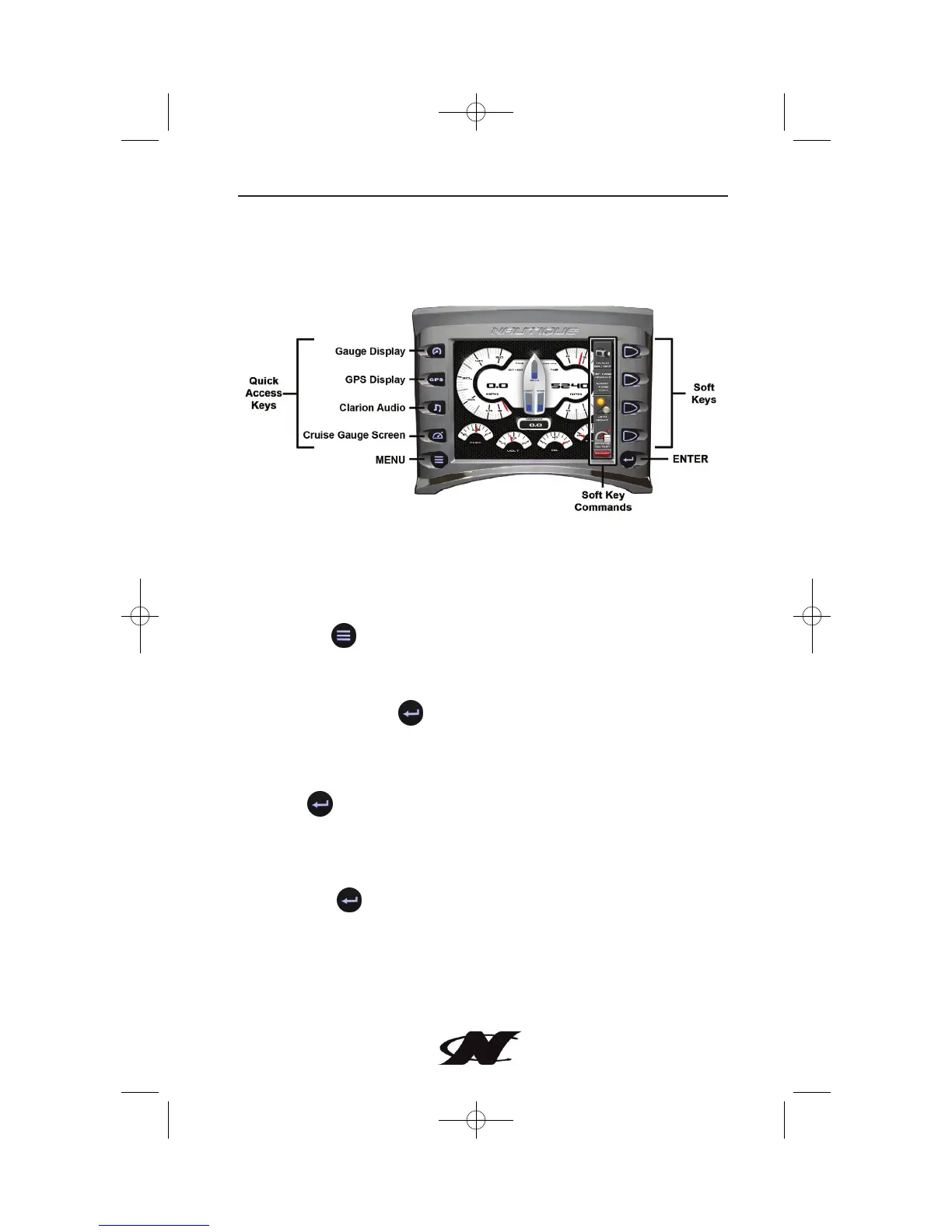
All product features are easily accessed through Quick Access Keys,
Menus, and Popup Controls.
Quick Access Keys
These keys provide one-button access to Gauge and GPS displays,
Clarion Audio and Cruise Gauge screens. These features are also
accessible from the MENU.
MENU Key
The Menu provides a list of available features, utilities, and
diagnostics.
Soft Key Commands
A vertical control bar provides additional features and navigation
shortcuts corresponding to the current screen being displayed.
When available, additional Popup controls are accessed by
pressing .
Soft Keys
The soft keys correspond to the Popup controls and activate
features accordingly when pressed.
ENTER Key
The Enter key advances to the next page of Popup controls. The
Enter key may also be used to confirm a SAVE when prompted
through a pop-up dialog box.








 To Next Page