4-54
Section 4
MENU Options
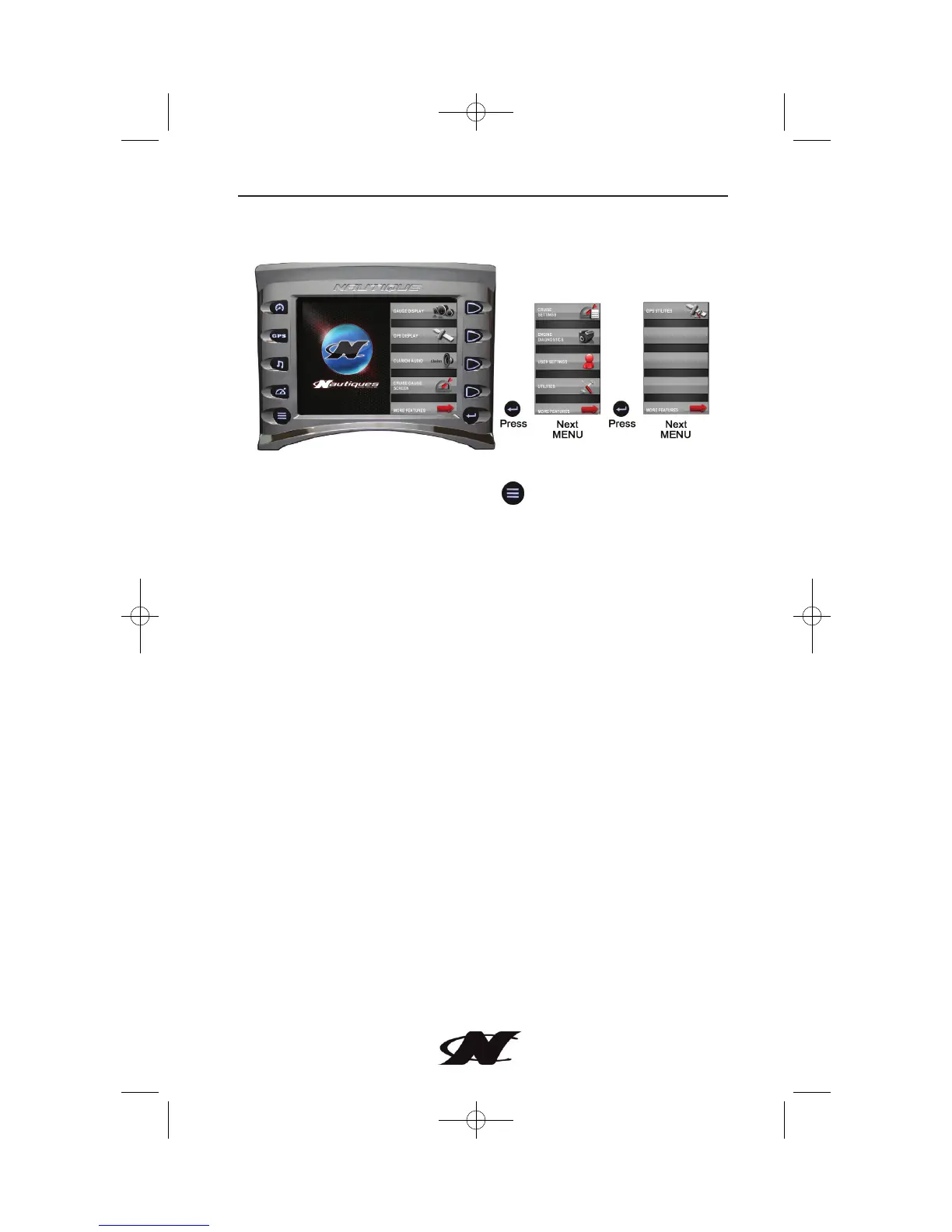
The MENU is displayed by pressing . The following features are
available:
• Gauge Display – provides a series of screens that display
engine and auxiliary information in a variety of formats.
This feature is covered in the Quick Key Access section.
• GPS Display – displays detailed charts, trails and waypoints.
This feature is covered in the Quick Key Access section.
• Clarion Audio – provides audio controls for FM Band and
music CDs. This feature is covered in the Quick Key Access
section.
• Cruise Gauge Screen – this feature displays cruise controls
for rider/skier profiles, speed, ballasts, depth, and engine
statistics for fuel, oil, voltage, and temperature. This feature
is covered in the Quick Key Access section.








 To Next Page