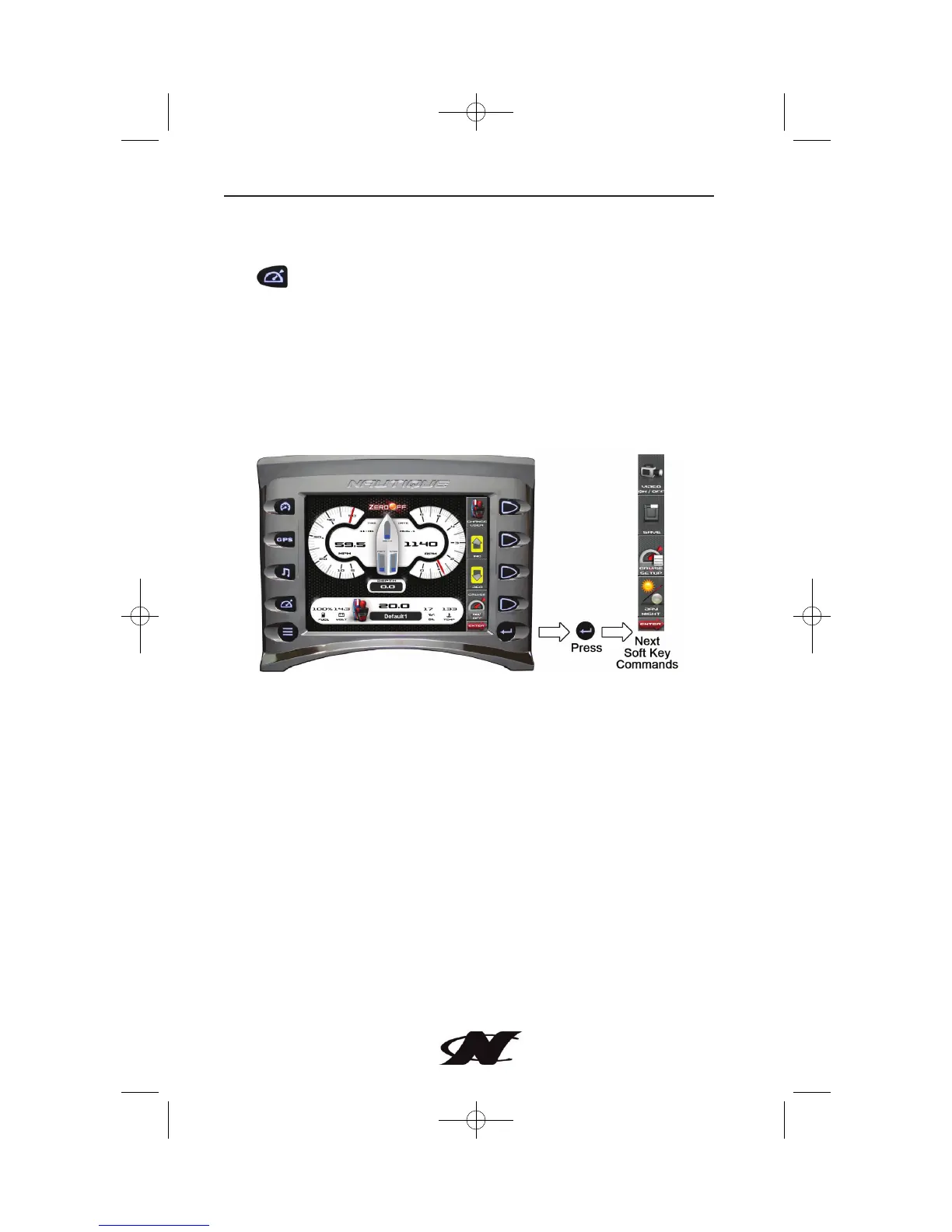
Cruise Gauge Screen
The Cruise Gauge Screen can be accessed by pressing the Quick Access
Key or by selecting “Cruise Gauge Screen” from the Menu options.
This feature displays rider/skier profiles for cruise controls based on user
preference for speed. The screen also displays the ballasts located on each
side and center of the boat.
The unit comes preloaded with a default user profile and the ability to
define 9 additional users. You may also load another 10 predefined users
via USB connection. For more detailed information on setting up users,
refer to the CRUISE SETUP section located in ‘Cruise Gauge Screen –
Soft Key Commands’.
4-49
Controls and Indicators








 To Next Page