4-61
Controls and Indicators
Audio Intensity
This function allows the user to program the Nautique LINC
System to automatically increase the stereo volume as the boat
speed increases.
Utilities
The Utilities menu option allows you to reset external gauges,
configure wiring and communication settings, and change rudder
angle. It is typically only accessed when the unit is first installed in
order to configure the unit.
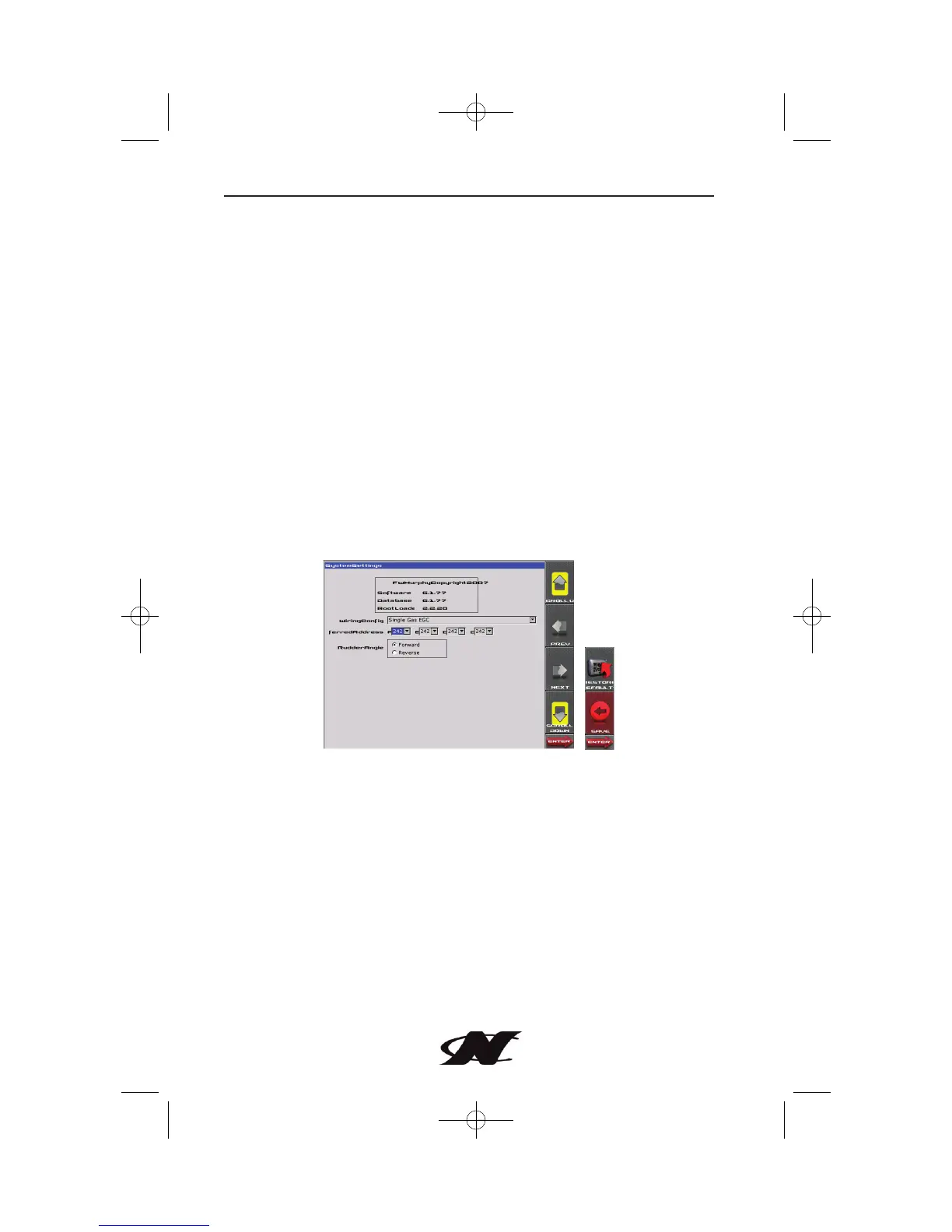
System Settings
The System Settings screen displays the current software version
loaded on the unit. You can set individual settings for the available
options, or choose to select RESTORE DEFAULTS for the factory
settings.
The PREV and NEXT keys allow you to move from field to field.
While the cursor is highlighting a field, the SCROLL UP and
SCROLL DOWN buttons display available options. Once all the
options have been selected, press Save.








 To Next Page