4-59
Controls and Indicators
User Settings
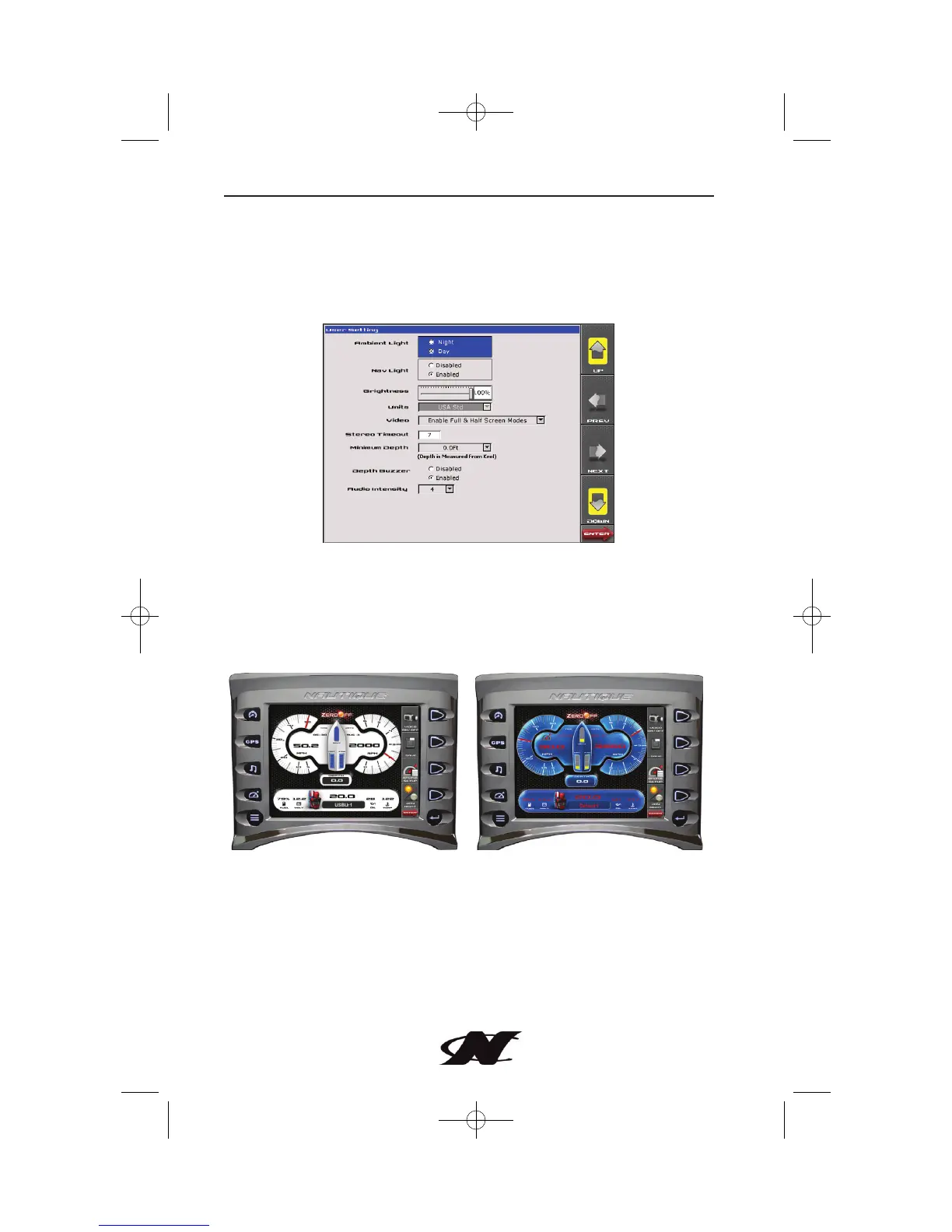
User Settings provide options to specify viewing preferences.
Pressing PREV and NEXT navigates through the options, and UP
and DOWN scrolls through the selections for each option.
Ambient Light
Night and Day options are provided for ambient lighting. The
screens below illustrate these options. When the ambient lighting
settings are changed in User Settings, the power-on default is
changed.
Day View Night View
NOTE: The ambient lighting option is also accessible through the
Soft Key Commands on the Gauge Display and Cruise Gauge
screens. Selecting DAY/NIGHT toggles the display to the opposite
mode.








 To Next Page