4-58
Section 4
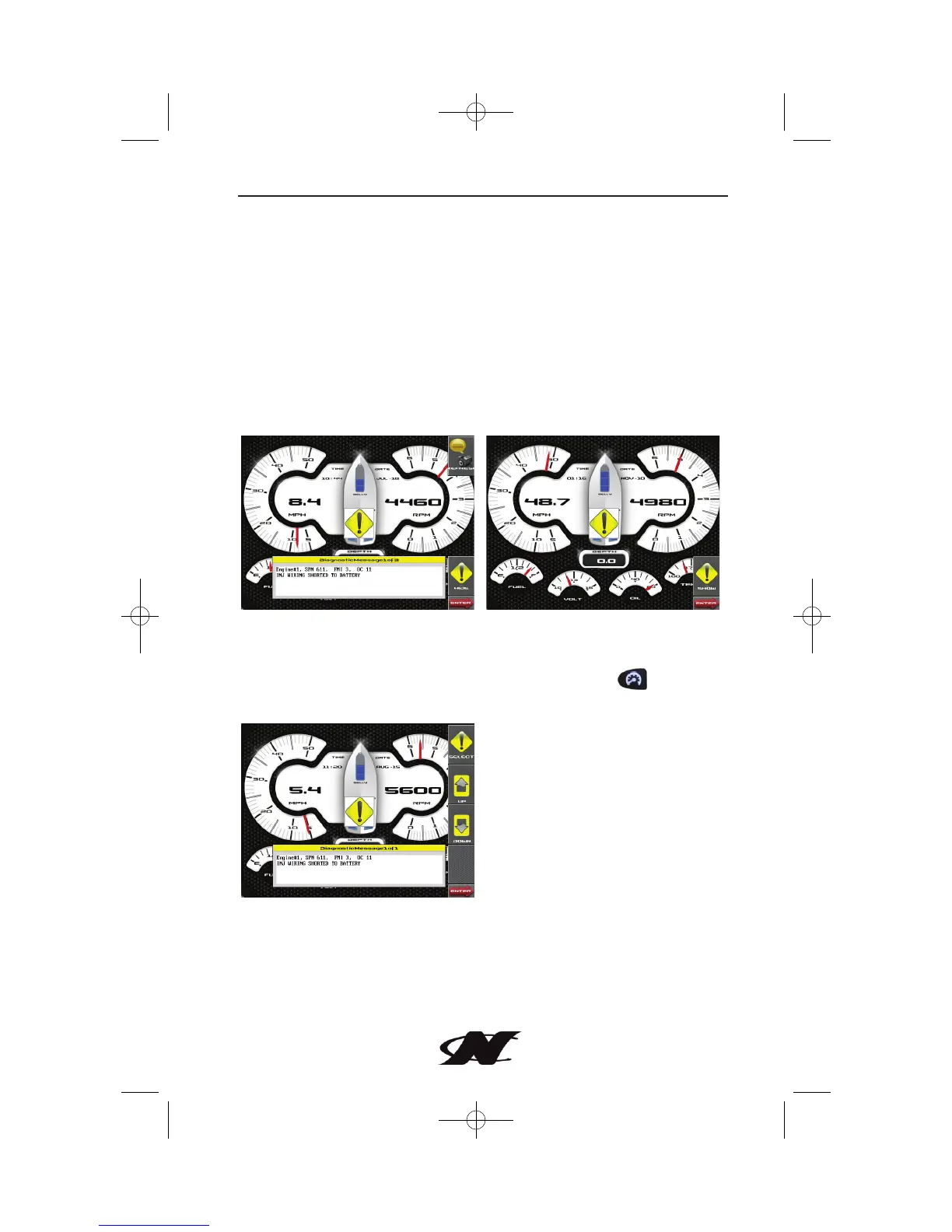
How to Hide/Show Faults
To hide the fault code pop-up being displayed on the screen, press
the soft key next to the “Hide” icon. The pop-up will disappear,
however the “Warning” or “Stop” icon will remain on the screen to
indicate there is still a fault. Pressing “Hide” does not clear the fault,
it only hides the pop-up message.
When a fault code has been hidden, a “Show” icon will remain in
the bottom right corner. When this soft key is pressed, the fault
code will again be displayed.
Scrolling Through Multiple Messages
The title-bar of the fault code pop-up may indicate multiple
messages, as in ‘Diagnostic Message 1 of 3’. Press to display
soft keys for scrolling through the different messages.








 To Next Page