4-46
Section 4
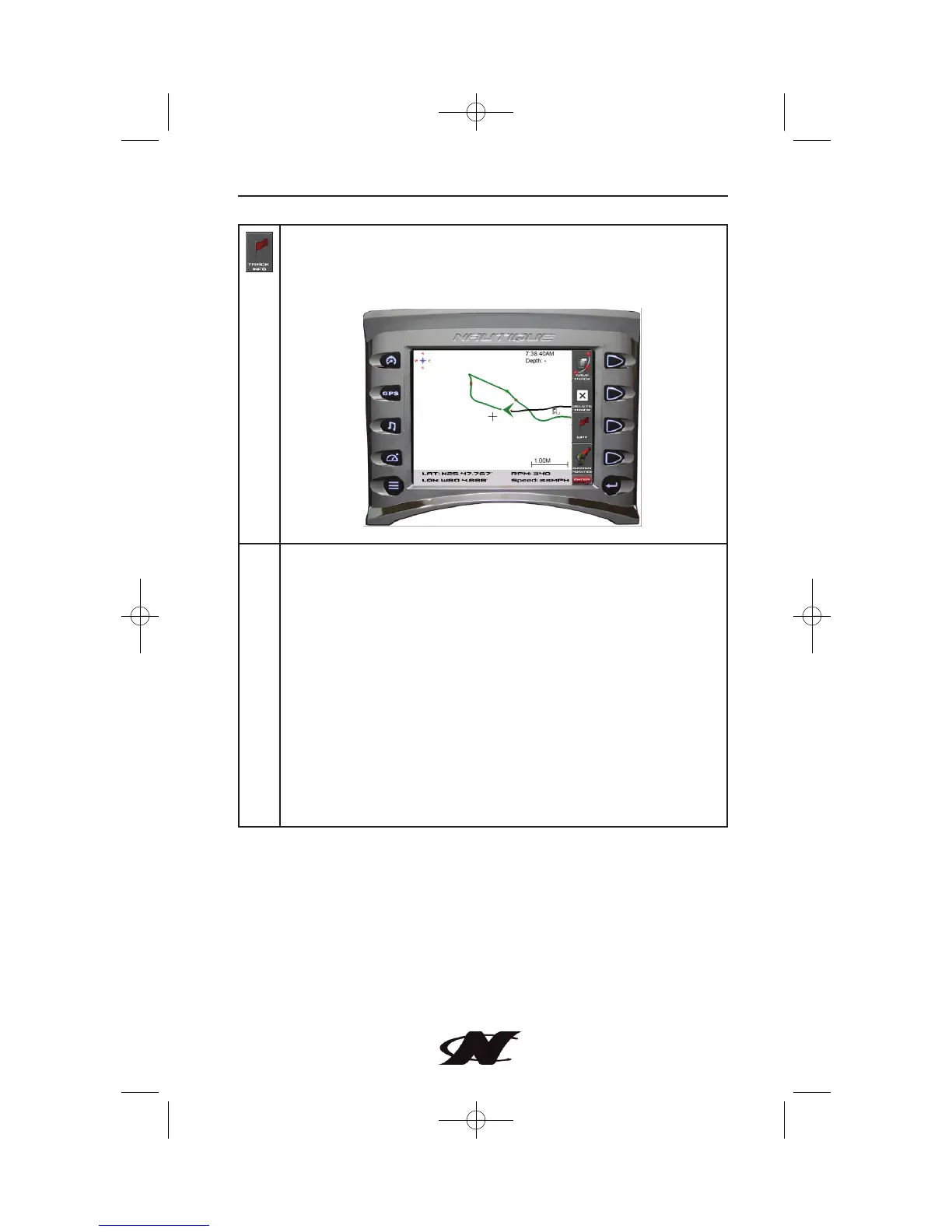
TRACK INFO – Tracking shows the current route and any
waypoints you have set. A green arrow indicates your current
position, while the red square indicates the initial point of
tracking.
Additional Soft Key Commands for Track Info include:
SAVE TRACK – saves the current track information.
DELETE TRACK – deletes the current track information.
WPT – places a marker or ‘waypoint’ on the map to mark a
favorite location.
CURRENT POSITION – used to return to the current
boat/satellite position after having moved the cursor to another
location.
COURSE UP – determines how the orientation of the map is
displayed; either conventional “North Up”, or according to the
current course heading, “Course Up”.
EXIT TRACK INFO – exits Track Info Popups back to the GPS
Popups.








 To Next Page