6
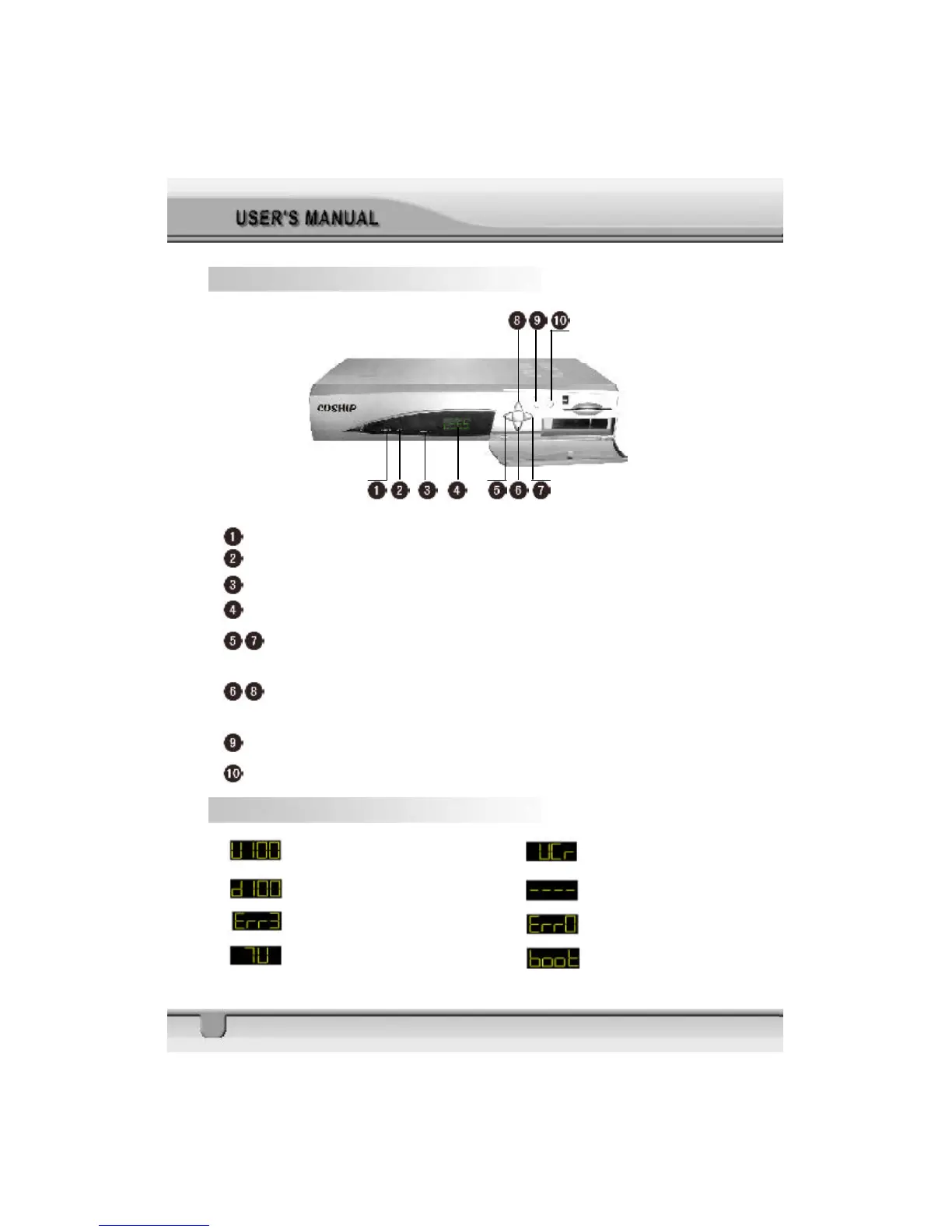
1.5 Front Panel
STANDBY: Show the STB is under STANDBY mode
LOCK: Signal lock lamp
INTENSITY
DISPLAY: Shows channel number, error messages, etc
When watching a channel, adjust the volume or move to the left or right item in
the menu.
When watching, chang to the previous or next channel, or move to the next higher
or lower item in the menu.
MENU: Show the Main Menu and command box on the screen
OK: Execute the selected item in the menu
1.6 Front Panel Display
: UP LOAD PROCEDURE : VCR MODE
: DOWN LOAD PROCEDURE : SYSTEM WAITTING
: ERROR IN DATA TRANSMITTING : FLASH ROM ERROR
: TV MODE : SYSTEM BOOTING



 To Next Page