7
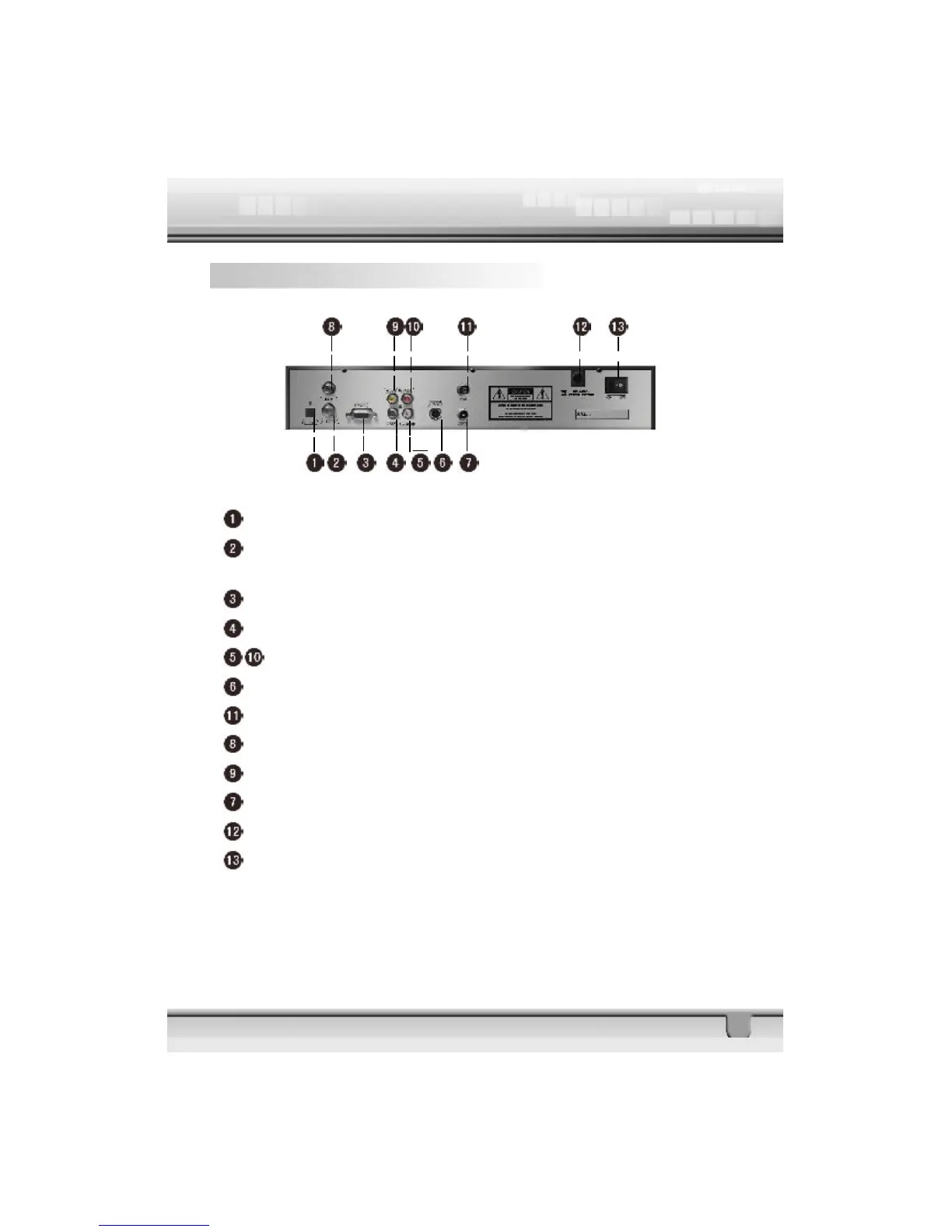
1.7 Rear Panel
DIGITAL AUDIO: Connect to TV for digital audio output
LOOP OUT: Connect to another receiver (IF loop through output from
digital tuner)
RS232: Connect to a PC for software upgrade
0/12V: Connect to an external 0/12V switch
L-AUDIO/R-AUDIO: Connect to TV or audio tuner
S-VIDEO: Connect to the S-VHS jack of the TV or VCR
TV: UHF RF output to TV set’s antenna in
LNB IN: Connect to satellite antenna (IF input from LNB to digital tuner)
VIDEO: Connect to the TV using RCA jack (CVBS output to TV)
ANT IN: Signal input from local CATV network or outdoor TV antenna
100-240V~: Power supply
ON /OFF: Main power switch
NOTE:
The above picture of rear panel is referenced, please operate real one.



 To Next Page