29
• Hex key (provided)
Installing the Handle
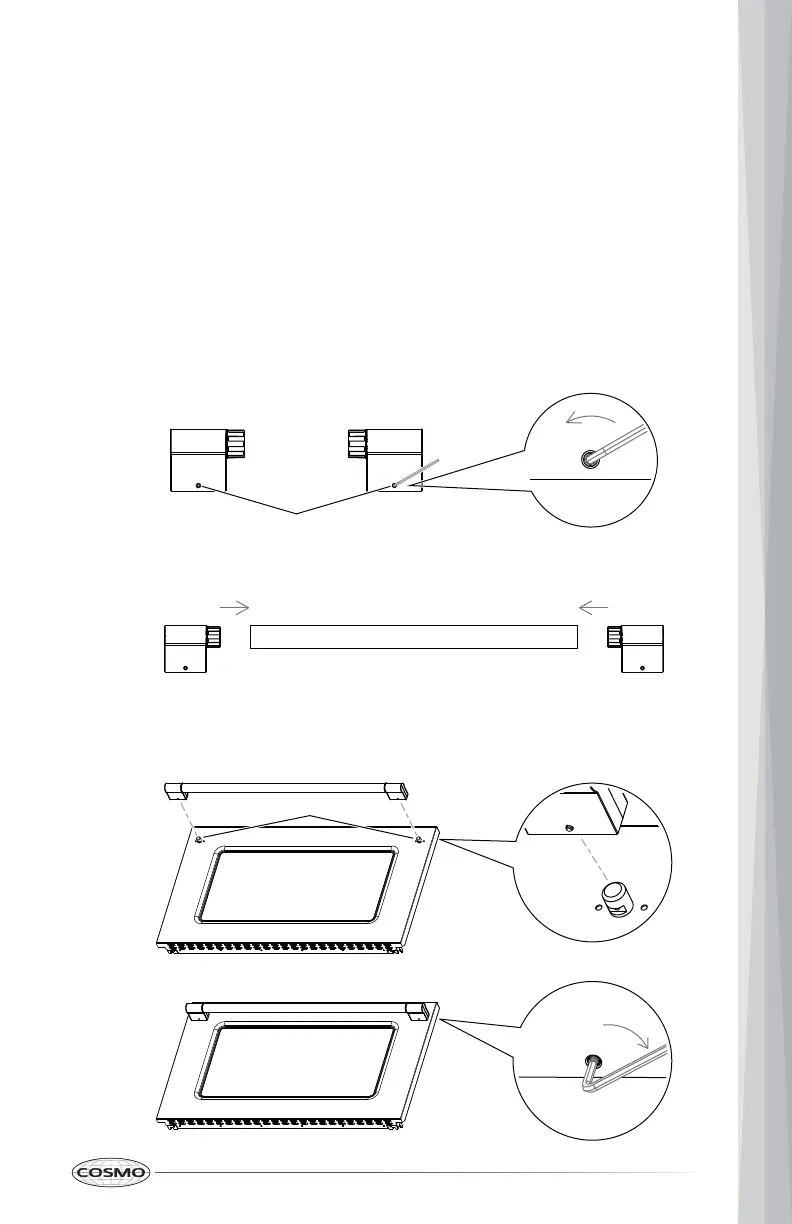
1. Partially loosen the set screw in the handle end caps with the Hex key.
INSTALL/REMOVE OVEN DOOR HANDLE
Be very careful not to scratch the surface of the unit. The appearance of the
handle may vary from what is shown below, but the installation will be the
same.
Tool Needed
2. Attach handle end cap over each end of the handle.
3. Place the handle on the door by fitting the handle end cap footprints over
the mounting fasteners and tightening the set screws with the Hex key.
Mounting fastener
Set screw


 To Next Page
 Loading...