36 INSTALLATION INSTALLATION MANUAL
Applying the wiper bracket
Lift cover halfway up to proceed with next steps.
The next steps are important for making the cover
water tight.
CAUTION
Insure the I-beams are dry and clean.
Insure ambient temperature is between 70°F to
100°F (21°C to 38°C) for ideal application
temperature.
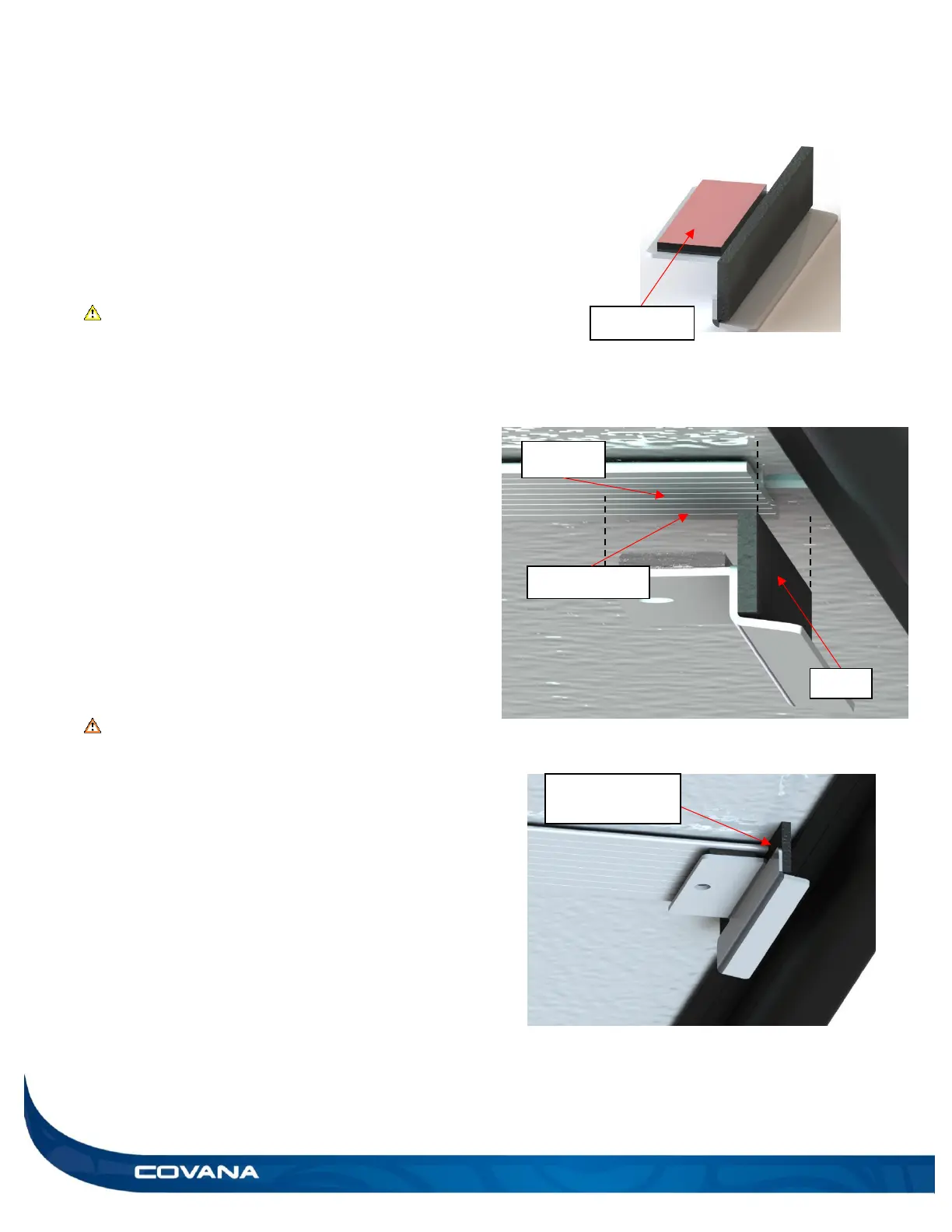
1) Locate the wiper brackets that are provided in the
boxes. (Figure 74)
2) Peel back red siding of the double-sided tape of
one wiper bracket. (Figure 74)
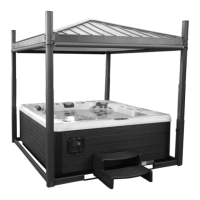
3) Under the cover locate an I-beam and orient the
wide flap of the wiper bracket outwards of cover.
(Figure 75)
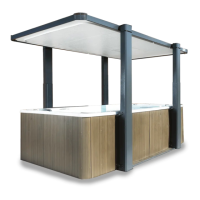
4) Stick the wiper bracket on the middle of the I-
beam by holding it in place with pressure for at
least 60 seconds. This ensures a proper bond to
the I-beam. Ensure to place the wiper bracket
flap at the edge of the I-beam. (Figure 76)
WARNING
Failure not to install the wiper bracket flap at the
edge of the I-beam will cause cover not to
perform as designed.
Failure to install each wiper bracket correctly can
result with cover leakage.
5) Repeat steps 1 to 4 for all I-beams left and right
sides.


 To Next Page