Correcting Malfunctions
Troubleshooting
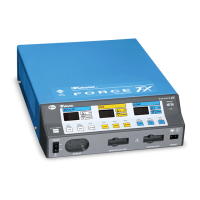
Force FX Electrosurgical Generator C User’s Guide 7-7
Generator is on and
accessory is activated, but
generator does not deliver
output.
Malfunctioning footswitch or
handswitching instrument.
Turn off the generator. Check
and correct all accessory
connections.
Turn on the generator. Replace
the accessory if it continues to
malfunction.
Incompatible footswitch. Use only a Covidien footswitch
with the Force FX-C generator.
Footswitch connected to
Monopolar 1 Footswitch
receptacle is being used for
surgical instrument in
Monopolar 2 receptacle.
Connect the footswitch to the
Monopolar 2 Footswitch
receptacle.
or
Connect the instrument to the
Monopolar 1/CEM receptacle.
Footswitch connected to
Monopolar 2 Footswitch
receptacle is being used for
instrument connected to
Monopolar 1/CEM receptacle.
Connect the footswitch to the
Monopolar 1 Footswitch
receptacle.
or
Connect the instrument to the
Monopolar 2 receptacle.
Power set too low. Increase the power setting.
Refer to Changing the Power
Setting on page 5-3.
An alarm condition exists. Check the Cut display for an
alarm number. Note the
number and refer to
Responding to System Alarms
on page 7-10.
In case of a REM alarm, refer
to Correcting a REM Alarm
Condition on page 7-2.
Internal component
malfunction.
Use a backup generator.
Contact your Biomedical
Engineering Department or a
Covidien Representative for
assistance.
Situation Possible Cause Solution












 To Next Page