13
COWON A2
Before Using this Product
Upgrading Firmware
Firmware is a program embedded in the hardware. Firmware update may provide the player with feature enhancements and/or bug fixes. Frmware ver-
sions may have bugs that will be fixed in the next version.
Upgrading Firmware
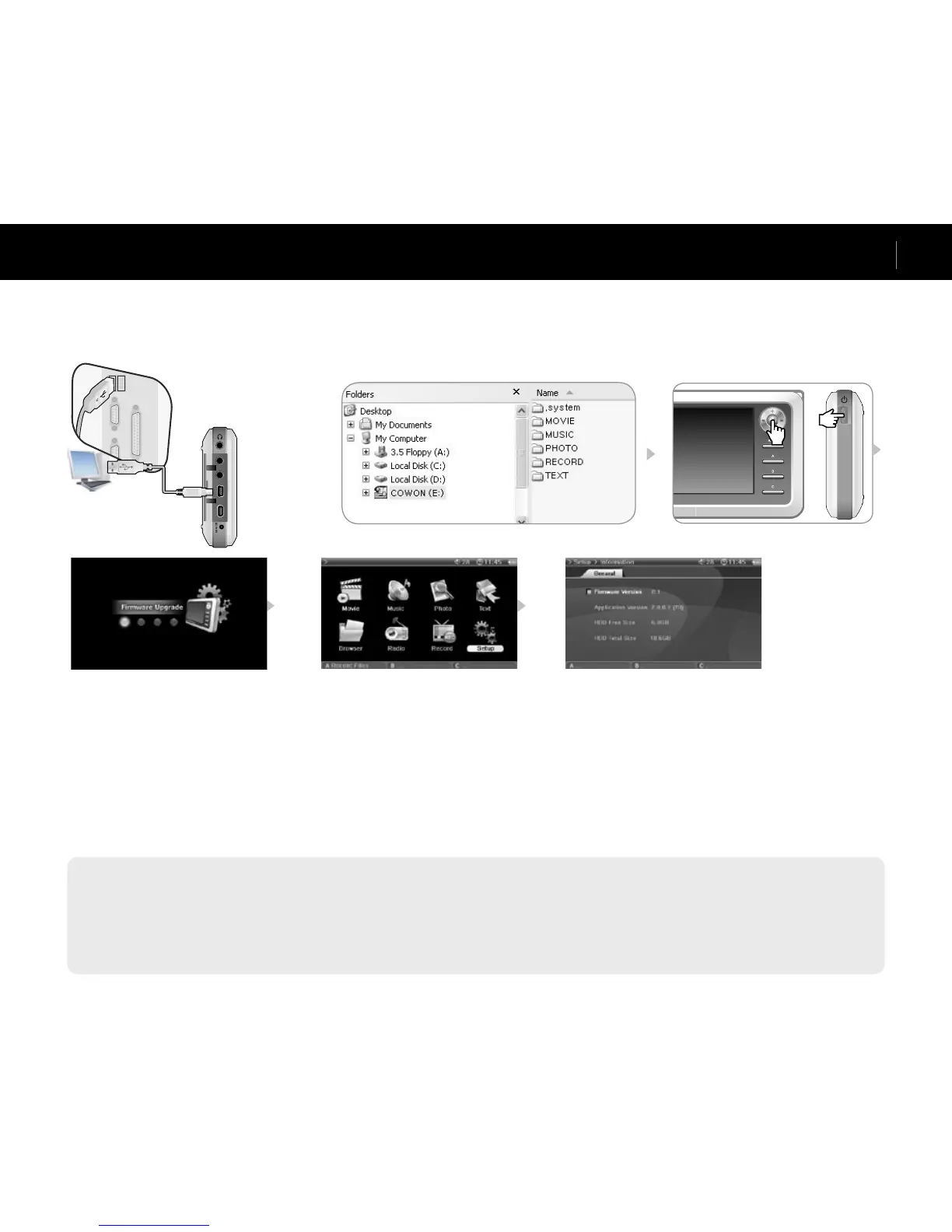
1. Visit our home page at www.iAUDIO.com, and download the latest firmware version.
2. Connect A2 and your computer with the provided USB cable.
3. Extract the downloaded file and copy it to the top level folder (Root folder) of the A2.
4. After disconnecting A2 from your computer, remove the USB cable.
5. When A2 is powered off, press the Joggle lever to the middle with your left hand and the Power button with your right hand at the same time to display
the firmware upgrade image.
6. Remove your hand and wait for the upgrade to complete.
7. When the initial Menu screen automatically appears, go to ‘Setting’ -> ‘Info’ and check to see if the firmware version and application version matches.
8. Upgrade is complete.
- If you are unable to operate the player because the System folder is deleted, upgrade the firmware to solve this problem.
- Also upgrade the firmware when the hard disk in A2 is formatted.
- Fully charge the player battery before upgrading the firmware.
- Do not turn off the player before firmware upgrade is complete.
- Data saved in the hard disk of A2 may be deleted while upgrading firmware. Therefore, backup any important files to your computer before upgrade. The manufacturer shall
not be liable for any data loss of files that were not backed up.



 To Next Page