16
COWON A2
File Browser
A2 provides 8 modes. Movie, Music, Photo, Text and Browser modes can be navigated by the File Browser.
■ Opening File Browser
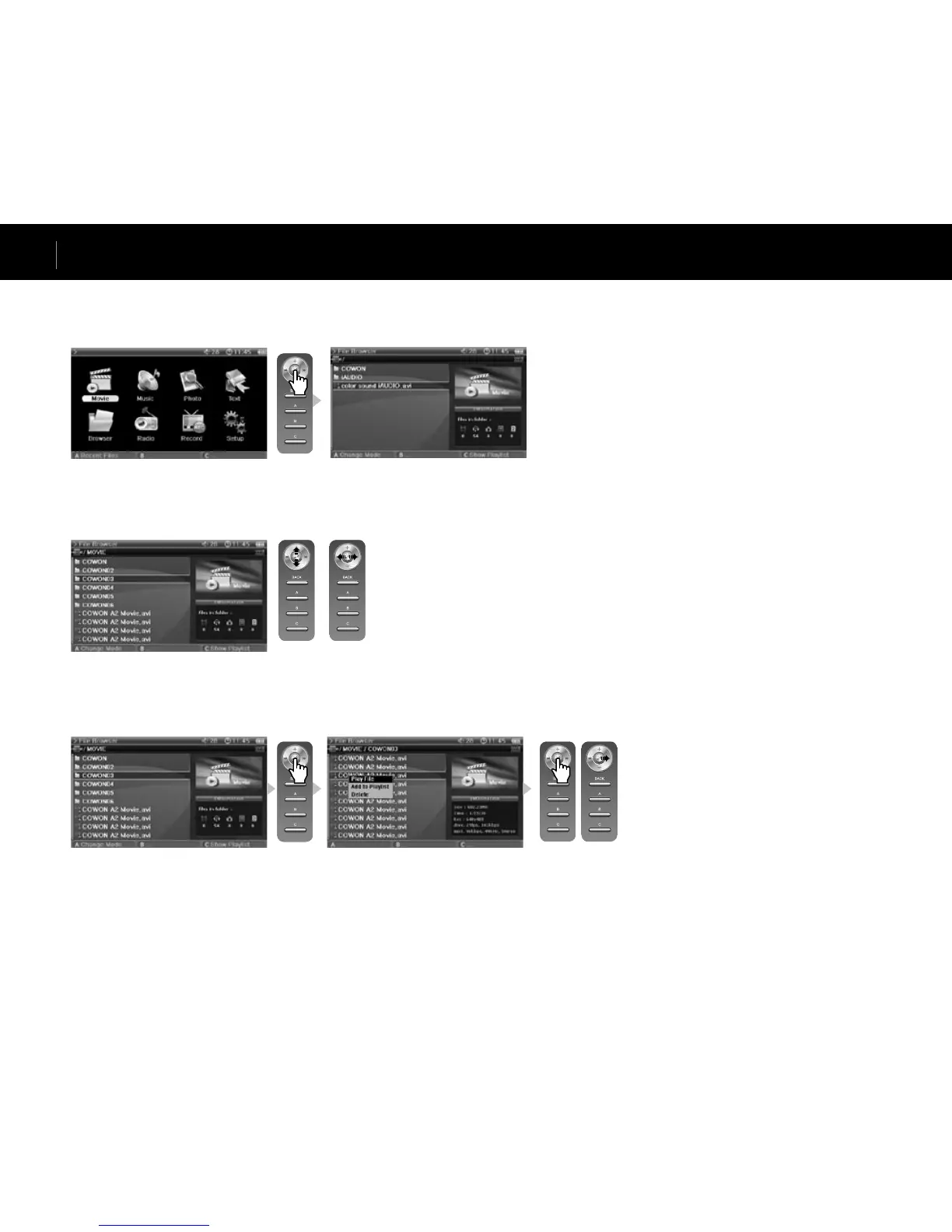
Press the lever in Movie, Music, Photo, Text or Browser mode and the File Browser will appear.
By default, only playable files in each mode can be viewed and selected. All files appear in Browser mode.
■ Moving a File Browser Item
Move the lever towards + or – to move through items up and down.
Press move the lever towards >> to open a folder.
Move the lever towards << to exit the folder. Returns to the Mode Selection screen in the root folder.
<Move Up & Down> <Move Folder>
<Playback> <Popup>
■ Selecting a File Browser Item
Press or move the lever towards >> on a folder to open it.
Pressing the lever on a file will start playback and moving the lever towards >> will open a popup menu.
Advanced Features



 To Next Page