15
COWON A2
Basic Features
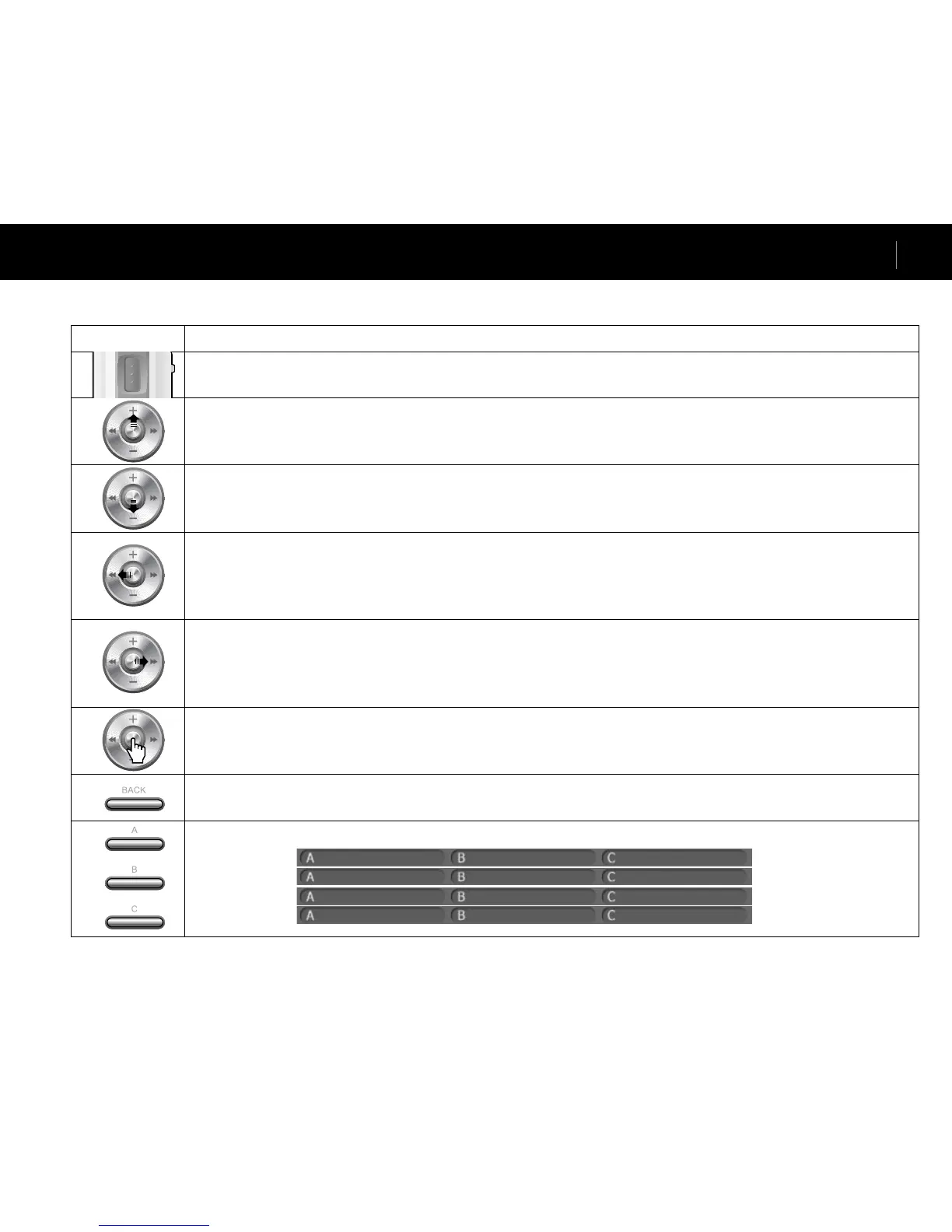
Button Description
• Press and hold when the player power is off to turn on the player. • Press and hold when the player power is on to turn off the player.
• Short presses will turn the LCD on and off. • If the player does not work properly, press and hold for 9 seconds to it turn off.
• Increases volume during file playback.
• Moves up through the File Browser and Setting items.
• Moves to the top of the enlarged screen in image viewer.
• Decreases volume during file playback.
• Moves down through the File Browser and Setting items.
• Moves to the bottom of the enlarged screen in photo viewer.
• Returns to the start or previous file during file playback.
• Press and hold to browse files during file playback.
• Moves to the upper folder in File Browser. • Adjusts values in setting items.
• Moves to the left of the enlarged screen in photo viewer. • Moves to the previous page in text viewer.
• Skips to the next file during file playback. • Press and hold to browse files during file playback.
• Opens a folder in File Browser. • Shows the popup menu of a file in File Browser.
• Adjusts values in setting items or moves categories. • Moves to the right of the enlarged screen in photo viewer.
• Moves to the next page in text viewer.
• Pauses file playback. • Opens a folder in File Browser.
• Plays the file selected in File Browser when pressed.
• Applies and exits settings. • Functions as a 4X magnifier in photo viewer.
• File Browser appears when pressed during file playback. • Mode Selection screen appears when pressed in File Browser.
• Cancels popup menus and setting items when pressed. • Press and hold to stop movie, music or radio.
• Runs A, B and C operations below the LCD screen.
Movie
Music
Radio
Browser
Button Controls
※“BACK” button operates in all modes at anytime.
... ... Enable USB Host
Change Mode ... Show Playlist
Change Mode ... Show Playlist
Delete Preset Settings Start Record



 To Next Page