24
COWON A2
2. Display
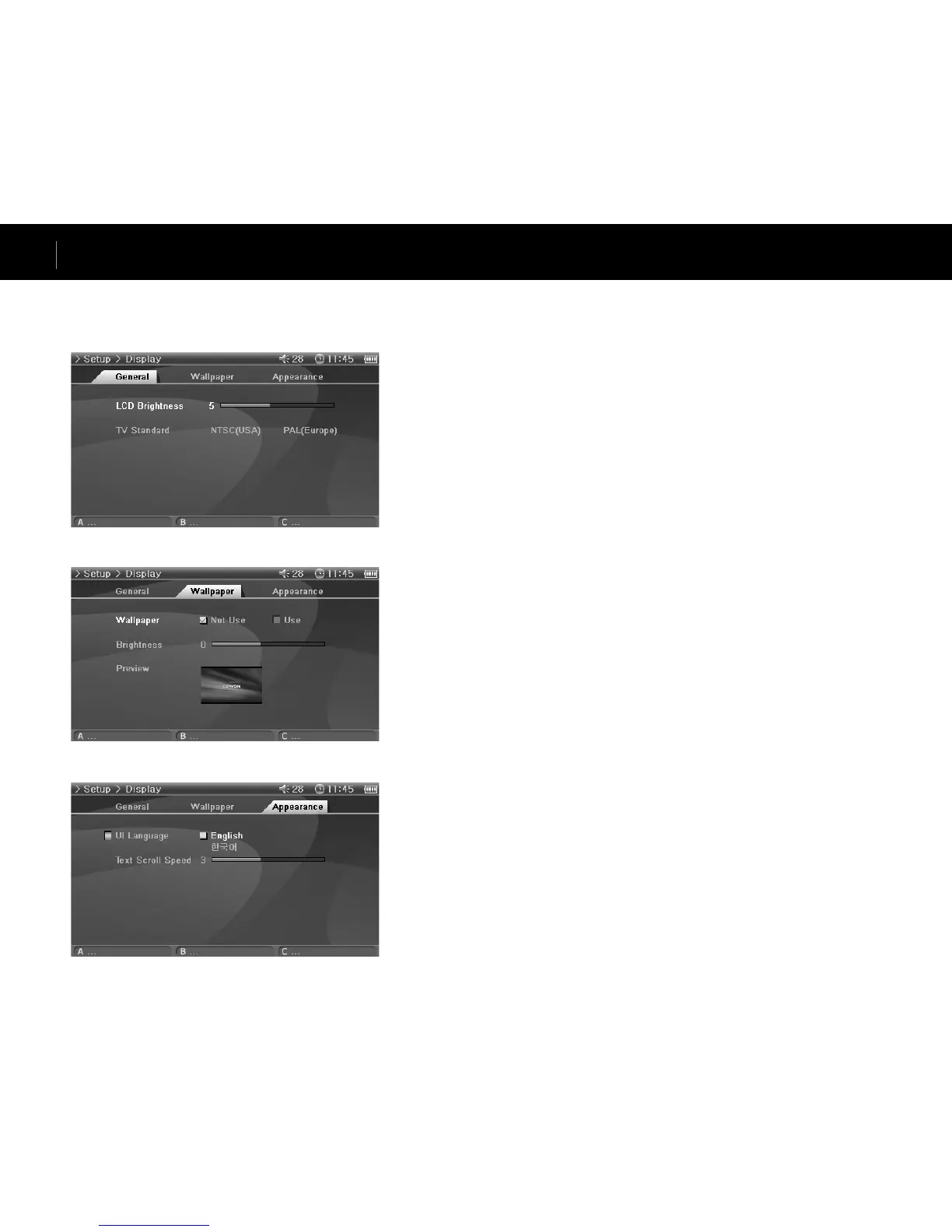
General
LCD Brightness
• Adjust brightness of the LCD. Brightness levels range from 1 to 9.
TV Standard
• Set TV output. Select from NTSC and PAL
Wallpaper
Wallpaper
• You can choose whether to use the wallpaper feature.
Brightness
• Adjust brightness of the wallpaper. Brightness levels range from -9 to 9.
Preview
• Currently set wallpaper is displayed.
• To set an image as the wallpaper, open the popup menu of the file to be used as the wallpaper in
Photo mode and select Set Wallpaper.
Appearance
UI Language
• You can choose which language to use for UIs.
Text Scroll Speed
• Adjust the scrolling speed of the text displayed in the File Browser.
Setup Features


 To Next Page