CowTech Ciclop 3D Scanning Guide
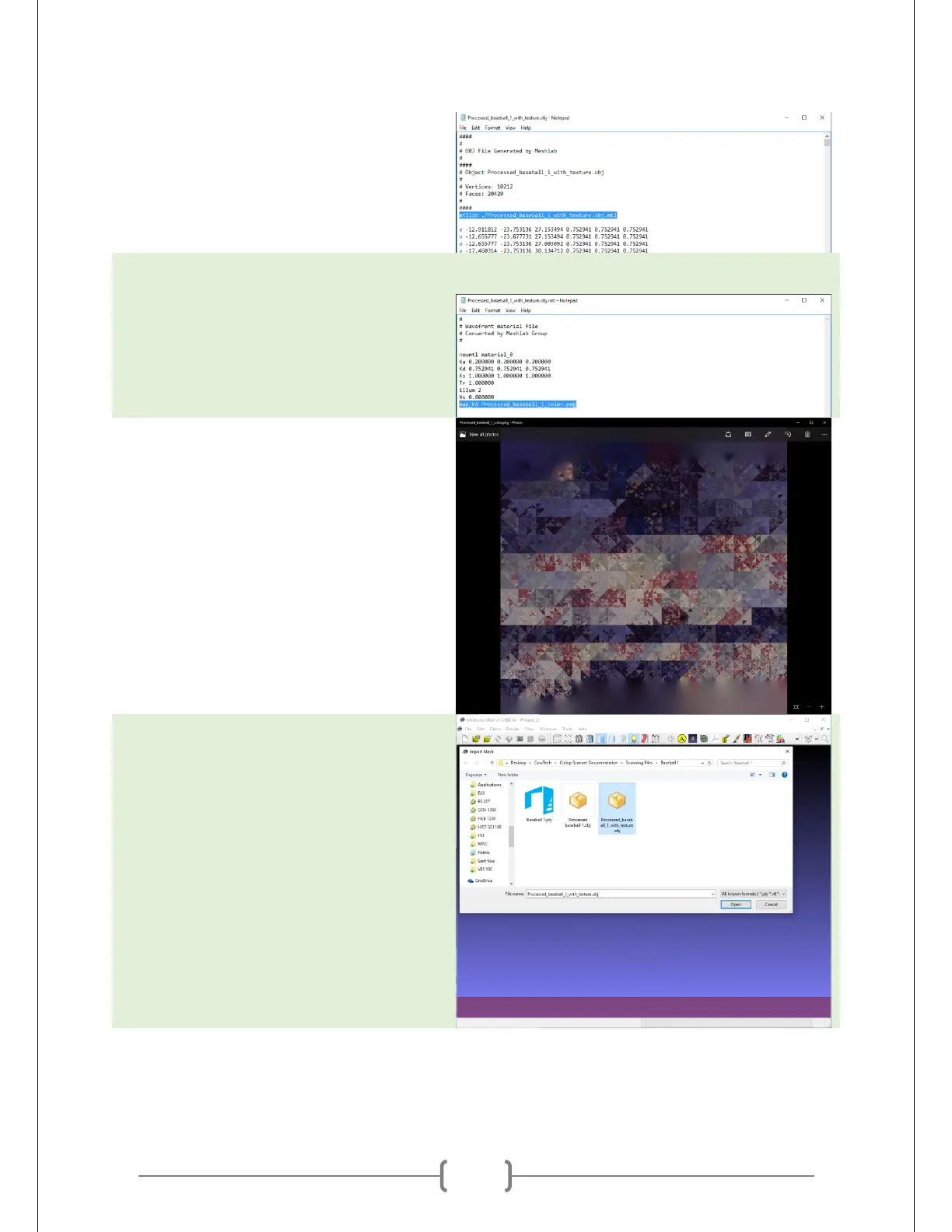
Open up the .obj file in Notepad or
another text editor of choice. Notice that
it references the .mtl file. The line that
does this is highlighted in the picture at
right.
Open up to .mtl file in Notepad as well.
We see that this file in turn references
the .png file.
Open up the .png file. The .png file is a
normal image file. As long as all three of
these files stay in the same directory,
you are good to go.
Open up a fresh new project in MeshLab
and import the .obj you just made.
If MeshLab crashes, you probably had
spaces in the name of one of those three
files. Rename as needed, but make sure
you edit the references in each one to
account for the changes.



 To Next Page