Table of Contents
Powering Your PAP Device
Respironics DreamStation Series..............................................
Respironics System One & M Series........................................
ResMed Air 10 & S9 Series.......................................................
ResMed S8 Series......................................................................
DeVilbiss IntelliPAP Series........................................................
Somnetics Transcend Series......................................................
HDM Z1 Series..........................................................................
Other PAP Devices....................................................................
Air Travel Usage.............................................................................
Power Backup Usage.....................................................................
Single Battery Connection.........................................................
Dual Battery Connection...........................................................
Powering Other Devices...............................................................
USB Port Connection.................................................................
DC Input Cord Connection.........................................................
150W Sine Wave Inverter Connection......................................
Battery Care Instructions.............................................................
Battery Storage.............................................................................
FAQ/Troubleshooting....................................................................
Safety Warnings.............................................................................
Usage Disclaimer............................................................................
Battery Disposal.............................................................................
9-10
11-12
13-15
16-17
18-19
20-21
22-23
24-25
26
26
27-28
29-30
31
31
32
32
33
33
34-35
36
36
36
FAQ | Troubleshooting
BATTERY STARTS THEN STOPS WORKS
If the battery stops functioning press the charge level indicator button to
reset the batteries’ internal circuitry. If the battery continues to shut down,
the device you are attempting to power may not be compatible.
The device may have higher amperage requirements (over 8A) than
the battery can provide.
The device may require a constant voltage output to operate properly.
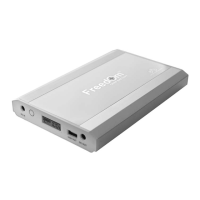
The Freedom
TM
CPAP battery has a voltage range of 9V-12.6V DC and
does not maintain a constant voltage level.
The internal circuitry of the device may be set to automatically adjust
to accommodate for multi-voltage capabilities which could make it
compatible with the battery at times and incompatible at other times.
DUAL BATTERY CONFIGURATION
While both batteries are providing output power simultaneously the battery
with the highest charge level will generally be the one to display “DC
12V” under the battery symbol on the digital display screen.
Also note that due to the circuit board differences a Freedom™ CPAP Battery
cannot be pigtailed with an older model C-100 CPAP Battery.
USB PORT CONNECTION
When connecting a device to the USB port you must press the charge level
indicator button once to initiate output power from the battery. See page
27 for connection instructions.
PAP DEVICE CONNECTION VIA A 12V DC POWER CORD
While you can connect a PAP device to the battery using a manufacturer’s
12V DC power cord and the DC input cord included with the battery kit it
may only power the PAP device for a short period of time. This occurs
because these types of DC power cords typically require a constant 12V
power flow in order to work properly and the Freedom™ battery functions
on a voltage range. Therefore, 12V DC power cords are not a viable option
for connecting a PAP device to the Freedom™ battery.
35


 To Next Page