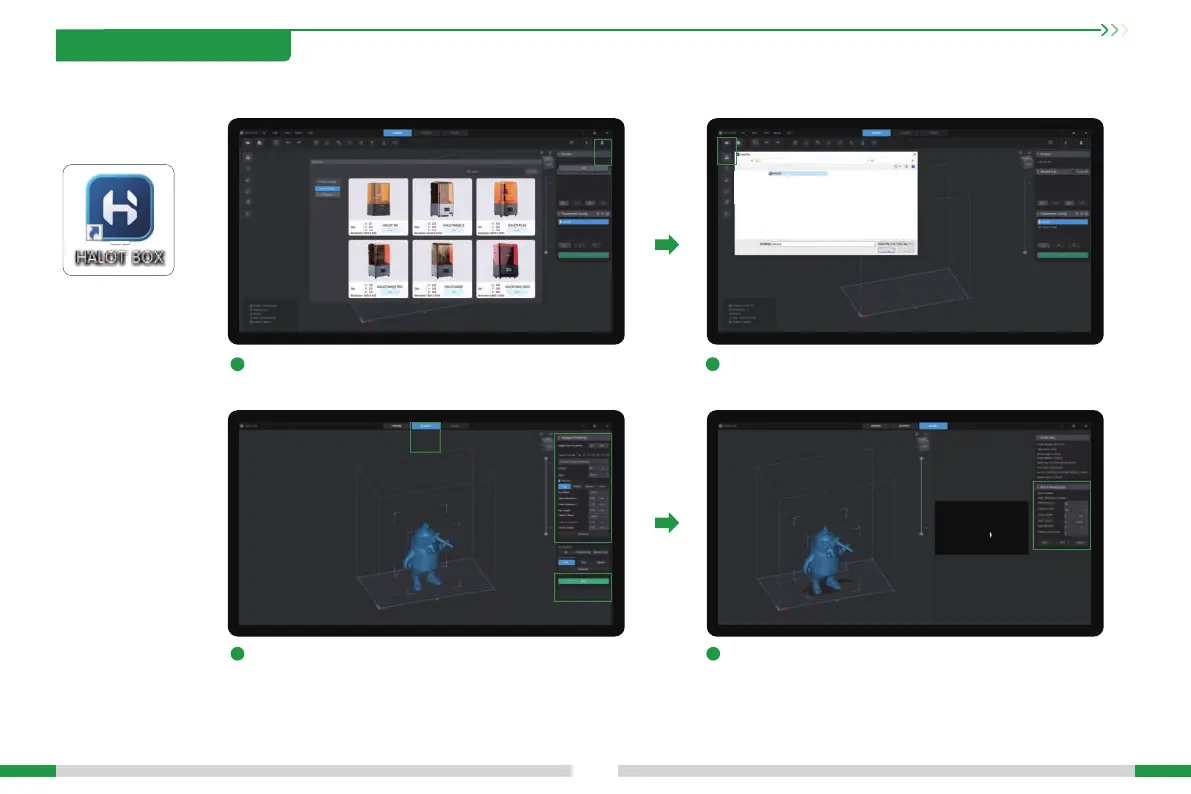
1. Slicer
Open the HALOT BOX software, click the icon ① in the upper
right corner to add the printer;
After the slicing is completed, the printing parameters can
be set according to the model requirements;
If a suppo needs to be added to the model, click the icon
① above and set the corresponding parameters ②. Then click
"Slice" ③ to sta slicing;
①
②
③
Click the icon ① in the upper left corner to open the model le;
8. USB Disk Printing
1
3
2
4
09
①
①
Open
Cancels





 To Next Page