Note: The platform has been leveled at the facto. If it needs leveling due to transpoation or other reasons, please follow the steps below to
adjust the printing platform.
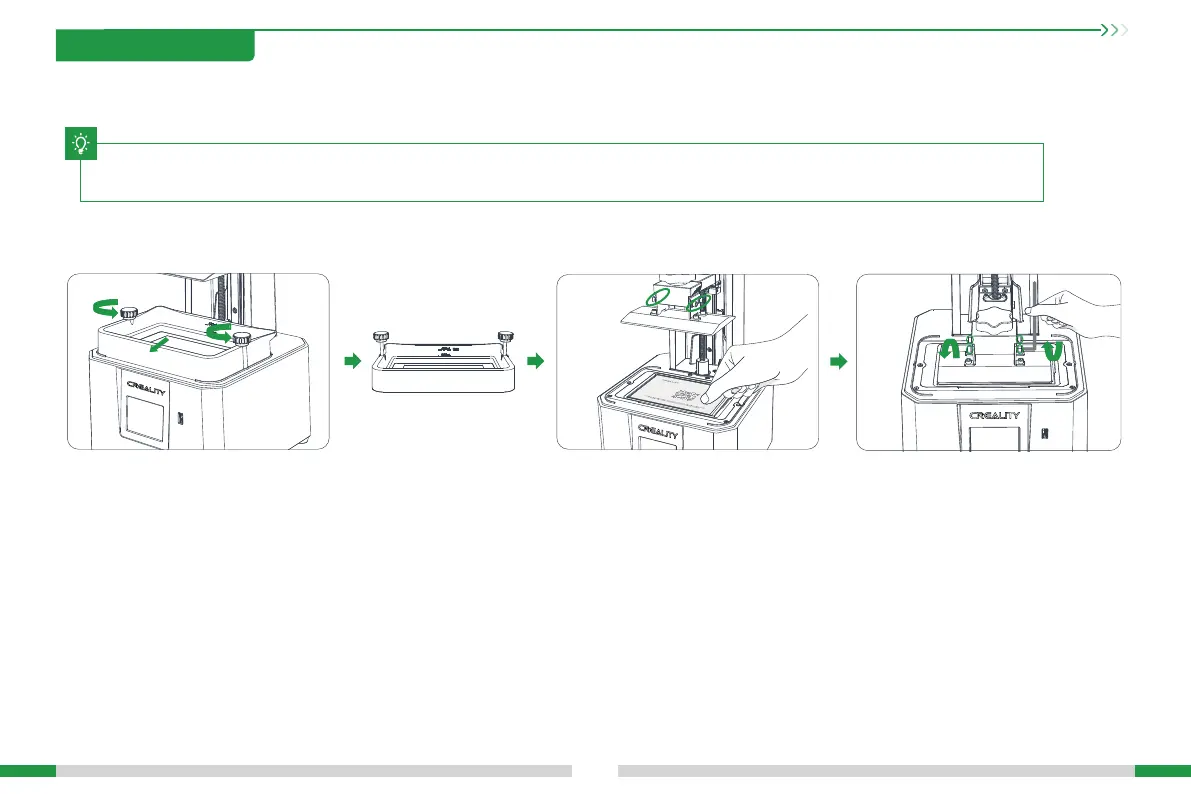
1. Raise the platform, loosen rubber screws on the left
and right sides of the resin vat, and take out the resin vat.
2. Loose the four screws on the
connecting plate on molding platform
plate, attach calibration card on the
printing screen, press Settings →Print
Settings→ Z axis movement →Leveling,
Check whether the platform ts evenly
with the paper by referring to the steps
on Page 6.
3.After conrming that the calibration
card t evenly, lock the four screws of
the platform.
T
5. Leveling Guide
05





 To Next Page