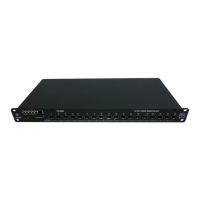
White Rabbit Switch - WRS
3.2 Quick startup
1. Plug the Ethernet 100Mpbs Management Port of the switch to a DHCP network using
RJ45 patch-cord
2. Plug the power cable to the Power Plug
After all connections have been made, toggle the power-switch on to turn
the device on. After the power on, the WRS should behave as follows:
3. The Power LED goes green
4. After 15s, the Status LED goes orange which means that the WRS’s kernel has started
5. Then the fan start working which means that FPGA has been correctly programmed
6. Finally, it goes green when everything is succesful (PLL is locked)
You have now the WRS ready to be used in a WR network
7. Connect the blue SFP (AXGE-1254-0531) to the SFP port 1 of the WRS. This SFP is
the one that will receive synchronization message from another master WRS or from
the grandmaster WRS. If you only have one switch in your network you might configure
it in the GrandMaster mode.
8. You can plug the other SFP ports [2-18] with violet SFPs (AXGE-3454-0531) to the
WR node such as SPEC, SVEC, . . .
3.3 Obtain the WRS IP
In order to login to the WRS using SSH or through the web interface you need to obtain
the IP of the ethernet management port. By default, this port automatically gets an IP using
the DHCP protocol. If you don’t have any DHCP router/server in your network, please refer
to the non-DHCP section.
Then to retrieve the management IP of the WRS you can:
• Connect to ttyACM0/COMxx by USB cable to retrieve the IP (ipconfig eth0).
• Open the interface of your DHCP server, and find the IP associated to your WRS MAC
address.
• Scan your local network using nmap (i.e, sudo nmap -sP 192.168.1.0/24) and read the
output arp -n to associate the corresponding IP of the WRS to its MAC address
Creotech Instruments S.A. tel. +48 22 233 10 27
ul. Gen. L. Okulickiego 7/9 e-mail: support@creotech.pl
05-500 Piaseczno, Poland www.creotech.pl
Page 8 of 30


 To Next Page