16 • IV-SAM-VXP-1B and IV-SAM-VXS-1B Product Manual — Doc. 9324A
Installation
Use the following procedures to install the Automate VXsystem.
In the Box
Qty. Description
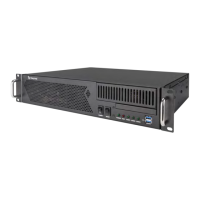
1 IV-SAM-VXP-1B or IV-SAM-VXS-1B, Automate™ VXCamera Switcher
Additional Items
2 Rail, 20 in. (508 mm)
1 Power Cord, IEC
1 Wi-Fi™ Network Antenna
1 SDIto HDMI®Signal Converter
1 DisplayPort™ to HDMI(female)Signal Adapter
1 Feet Set, Chassis
IV-SAM-VXP-1B Only
8 Cable, MiniDIN to BNC
Wire the Camera System
To perform basic wiring for the camera system:
1. Designate a number for each PTZcamera in your system.
2. Mount the cameras in as described in the appropriate documentation for your 1 Beyond
camera model.
3. Connect each PTZcamera to the SDI®ports of the Automate VXdevice using HD-SDI
cables. Ensure the numbered SDI port corresponds to the camera number determined in
step 1.
NOTE:Each PTZcamera should be connected to a network switch via Ethernet and
can be powered via PoE+(Power over Ethernet Plus) with 30Wpower.
4. Connect the Ethernet 2 port on the camera switcher device to the network switch via an
Ethernet cable.


 To Next Page
 Loading...









