Supplemental Guide – DOC. 7844E CCS-UC-1: Crestron Mercury Tabletop Conference System • 11
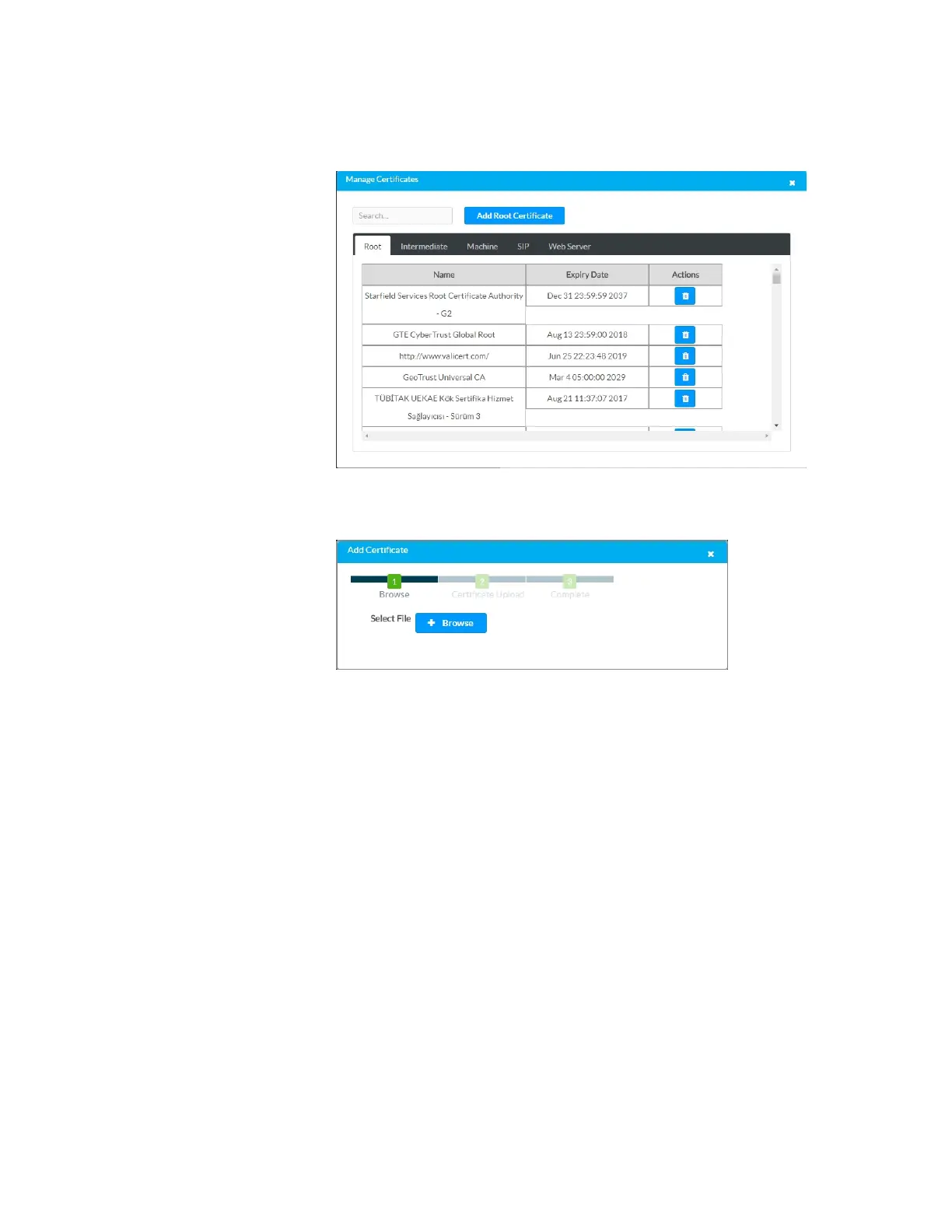
a. Click the Root tab to manage certificates for 802.1x authentication.
Manage Certificates: Root Tab
b. Click Add Root Certificate. The Add Certificate screen is displayed.
Add Certificate Screen
c. Click Browse, select the certificate file, and click Open.
d. Click Load to upload the certificate to the CCS-UC-1. A message
confirming the upload is displayed.
e. Click OK to close the Add Certificate screen.
5. Click Save Changes when done or Revert to return to the previous setting.



 To Next Page
 Loading...












