Supplemental Guide – DOC. 7844E CCS-UC-1: Crestron Mercury Tabletop Conference System • 37
AirMedia
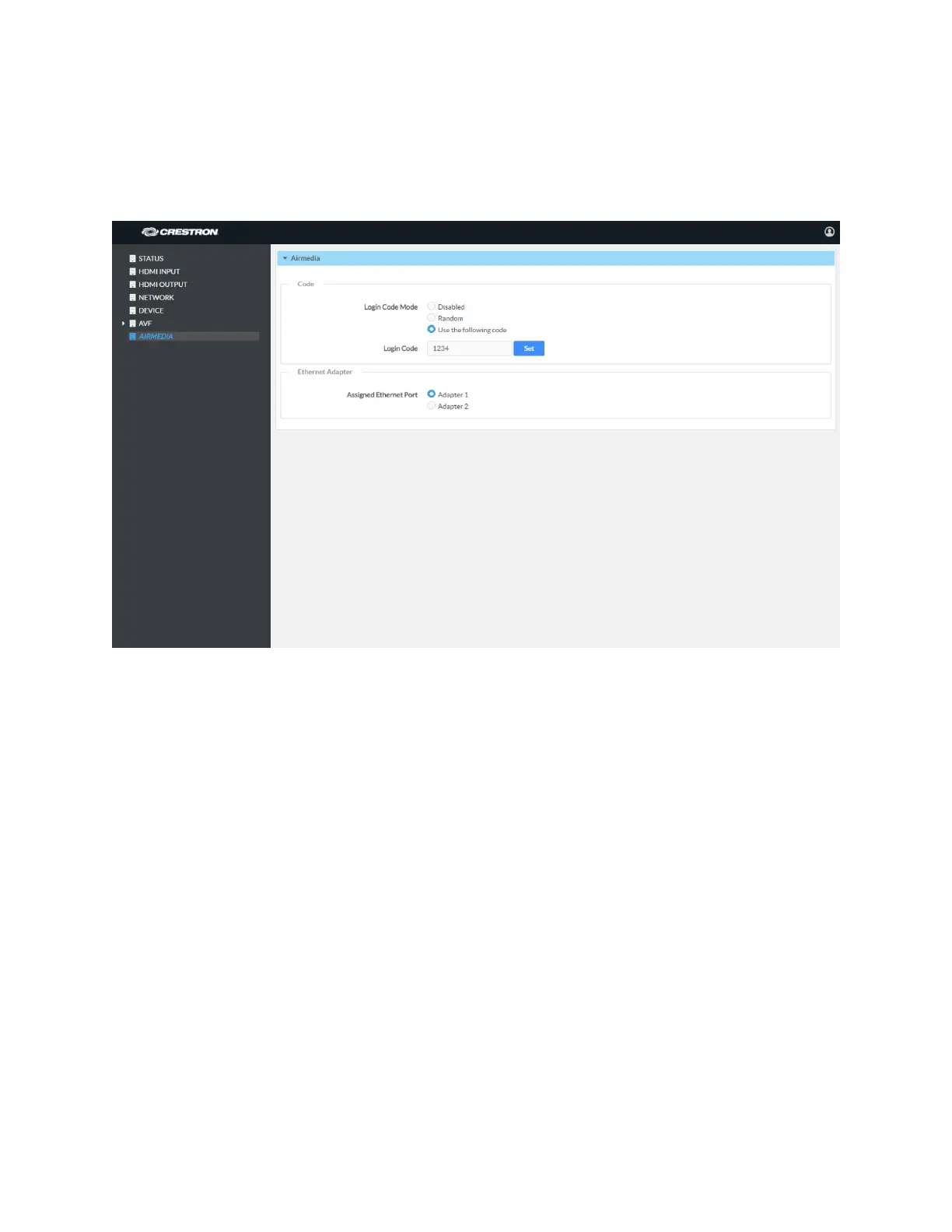
Click AIRMEDIA to configure the device’s AirMedia functionality. The AIRMEDIA screen is
displayed.
AIRMEDIA Screen
Code
A code can be used to limit access to the device. The code feature can be disabled,
randomly generated, or fixed to a specific value. Select one of the following Login Code
Modes to specify how the access code is used:
• Disabled allows any user with the device’s IP address or host name to open a
client connection without entering an access code.
• Random sets the device to randomly generate an access code. A new code is
generated when the last connected presenter disconnects from the device. The
access code is displayed on the device’s screen when AirMedia is selected.
• Use the following code sets the device to display a user-specified, four-digit
access code. Enter a code in the
Login Code field and click Set. The access code
is displayed on the device’s screen when AirMedia is selected.
Ethernet Adapter
Select which of the CCS-UC-1’s Ethernet port connections (Adapter 1 for the LAN port or
Adapter 2 for the AUX port) is to be used for presenting by AirMedia.



 To Next Page
 Loading...












