54 • CCS-UC-1: Crestron Mercury Tabletop Conference System Supplemental Guide – DOC. 7844E
a. Use the on-screen keyboard to enter the contact name. The CCS-UC-1
shows the search results on the display. Otherwise, tap
Dialer to cancel
and return to the previous screen.
b. Tap the name of the contact to be called.
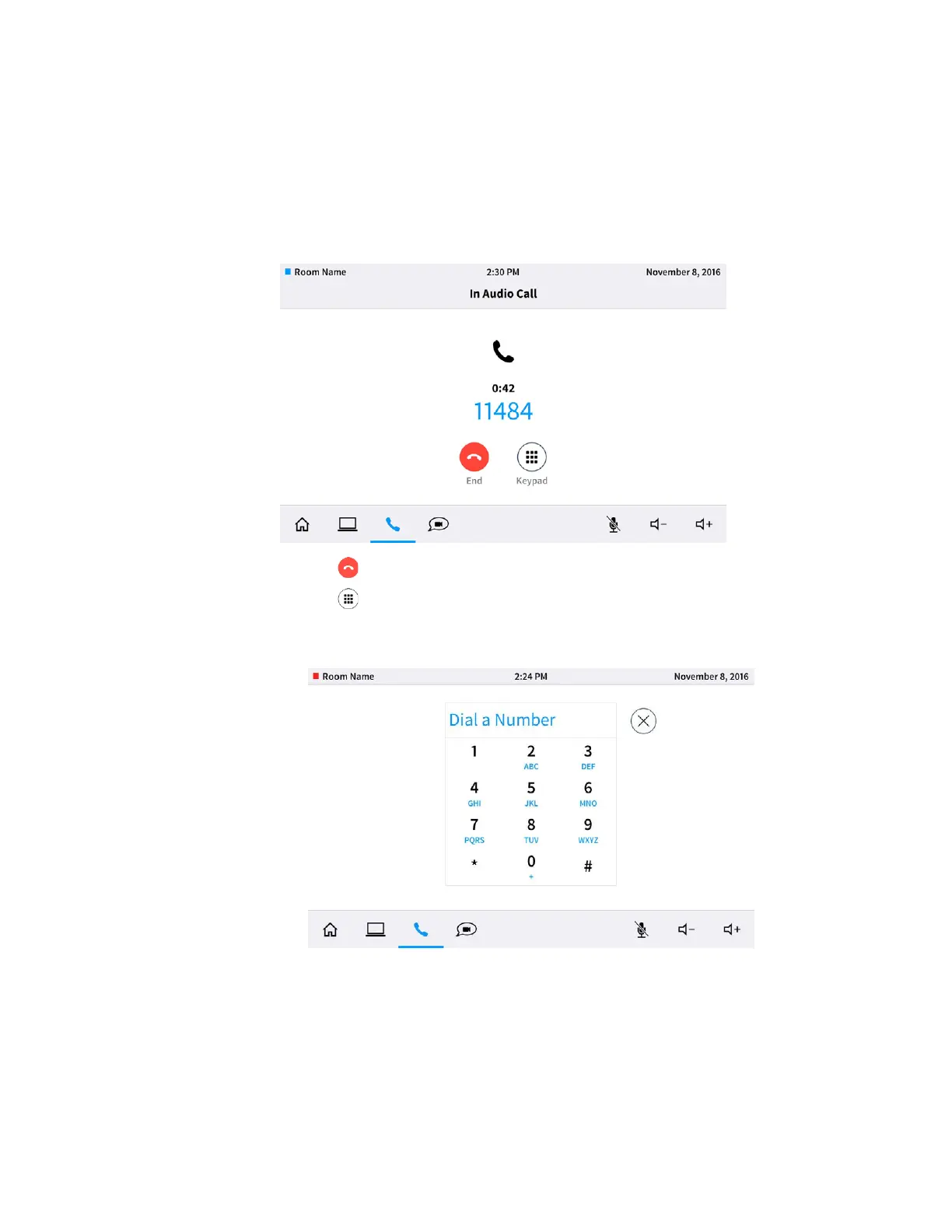
The In Audio Call screen is displayed.
In Audio Call Screen
• Tap to end the call.
• Tap to use a keypad to send dual tone multi frequency (DTMF) tones (to
enter extensions, check voicemail, etc.). The keypad screen is displayed.
Keypad Screen
o Tap numbers to send DTMF tones.
o Tap X to exit the keypad screen.
Make a Call with a Bluetooth Phone
When configured, the CCS-UC-1 can make phone calls using a Bluetooth-enabled phone
to carry the call while using the CCS-UC-1 as a speakerphone.



 To Next Page
 Loading...












