AirData 150 S2 USB User Manual
26
Profile Name: The user can chose the name for this profile, or use the default name defined
by the system.
SSID: The user can key in the intended SSID name or use the pull down menu to select from
the available APs.
Power Save Mode: Choose from CAM [Constantly Awake Mode] or Power Saving Mode.
Network Type: There are two types, infrastructure and 802.11 Ad-Hoc modes. Under Ad-Hoc
mode, user can also choose the preamble type; the available preamble type includes auto
and long. In addition to that the channel field will be available for setup in Ad-Hoc mode.
RTS Threshold: User can adjust the RTS threshold number by sliding the bar or key in the
value directly. The default value is 2347.
Fragment Threshold: User can adjust the Fragment threshold number by sliding the bar or
key in the value directly. The default value is 2346.
Channel: Only available for setting under Ad-Hoc mode. User can choose the channel
frequency to start their Ad-Hoc network.
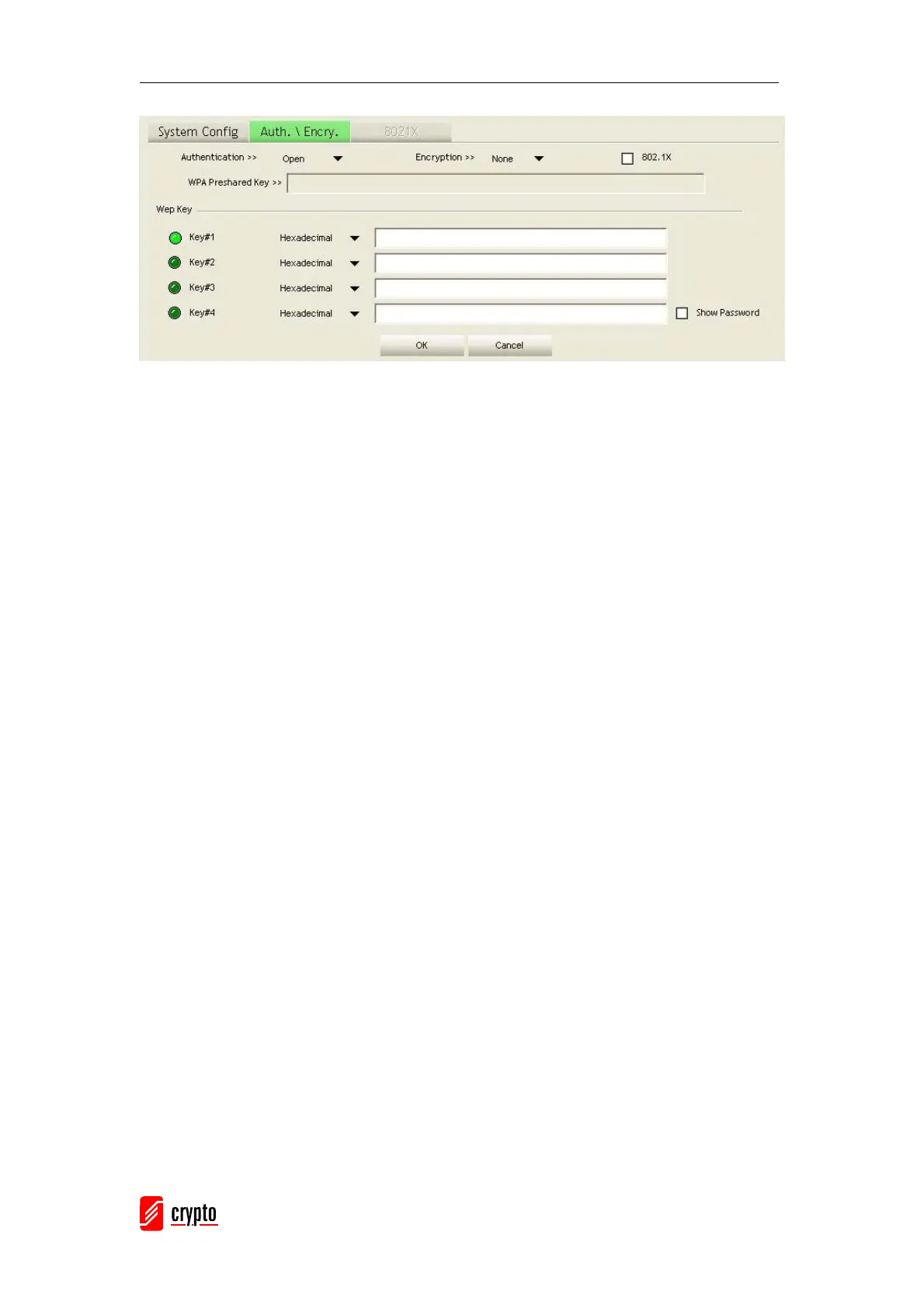
Authentication Type: There are 7 type of authentication modes supported by RaUI. They are
Open, Shared, LEAP, WPA, WPA-PSK, WPA2, WPA2-PSK.
Encryption Type: For open and shared authentication mode, the selection of encryption type
are None and WEP. For WPA, WPA2, WPA-PSK and WPA2-PSK authentication mode, the
encryption type supports both TKIP and AES.
802.1x Setting: It is an authentication for WPA and WPA2 certificate to server.
WPA Pre-Shared Key: This is the shared secret key between the AP and the STA. For WPA-
PSK and WPA2-PSK authentication mode, this field must be filled with a key that is longer
than 8 and less than 32 alphanumerical characters.
WEP Key: Only valid when using a WEP encryption algorithm. The key must be matched with
the AP’s key. There are several formats to enter the keys:
Î Hexadecimal – 40bits: 10 Hex characters
Î Hexadecimal – 128bits: 26 Hex characters.
Î ASCII – 40bits: 5 ASCII characters
Î ASCII – 128bits: 13 ASCII characters



 To Next Page