AirData 150 S2 USB User Manual
47
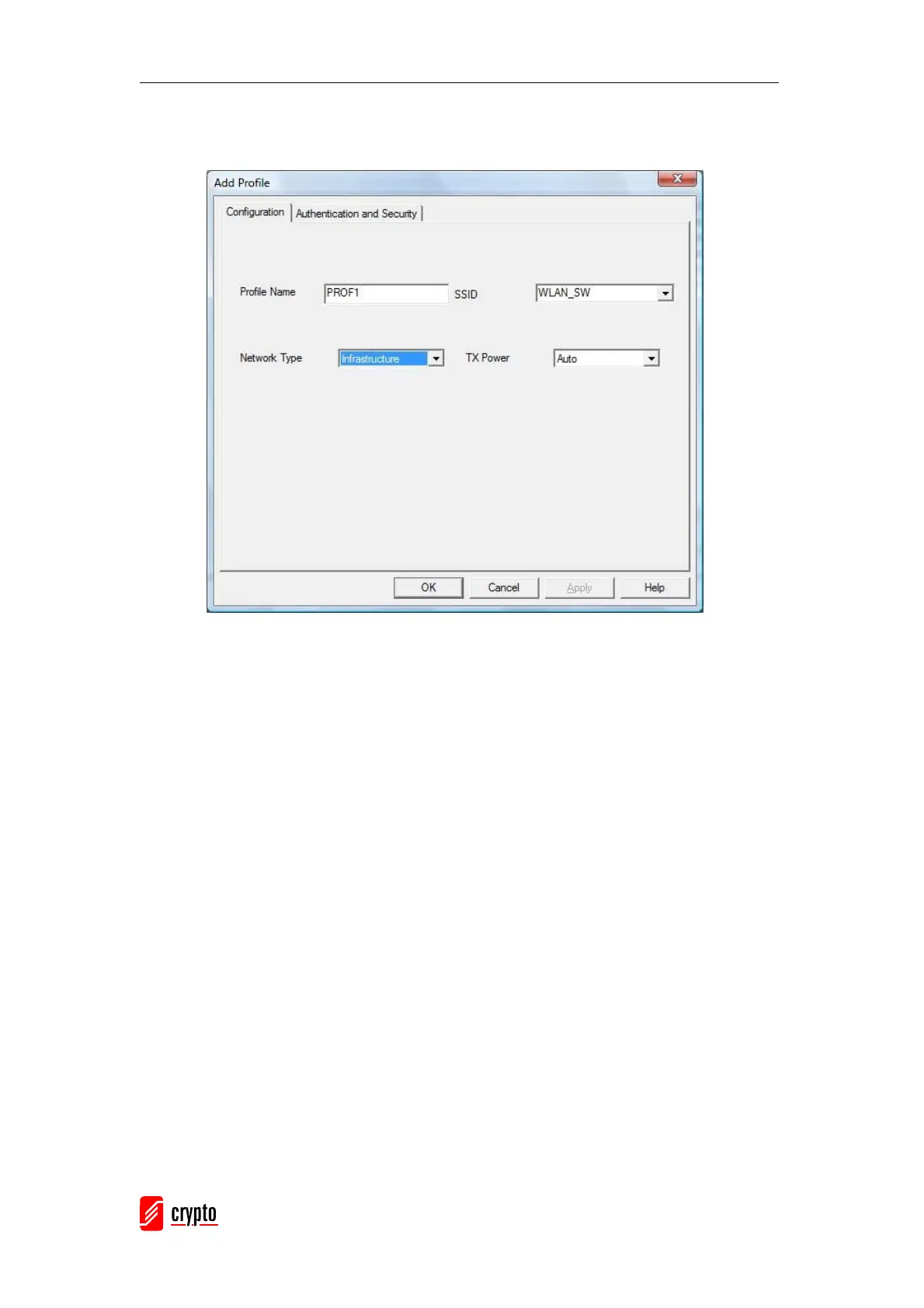
[Configuration page]
Profile Name: Name of the profile
SSID: Name of the desired network
Network Type: Network of the desired network, either infrastructure or Ad-Hoc.
Infrastructure – This operation mode requires the presence of a wireless Access
Point. All communication is done via the Access Point or Router.
Ad-Hoc – Select this mode if you want to connect to another wireless station in the
Wireless LAN network without an Access Point or Router.
Tx-Power: The desired TX power level; the available options are 100%, 75%, 50%
and Auto. If you want to lower the transmit power of the adapter for saving the
power of the system, you can select the lower percentages from the list. The lower
the power the lower signal strength and the coverage range.



 To Next Page