Korinthou 11, 14451 Metamorfosi Τel: 210-8098700, Fax: 210-6122512
Site: www.crypto.gr, Email: crypto@crypto.gr
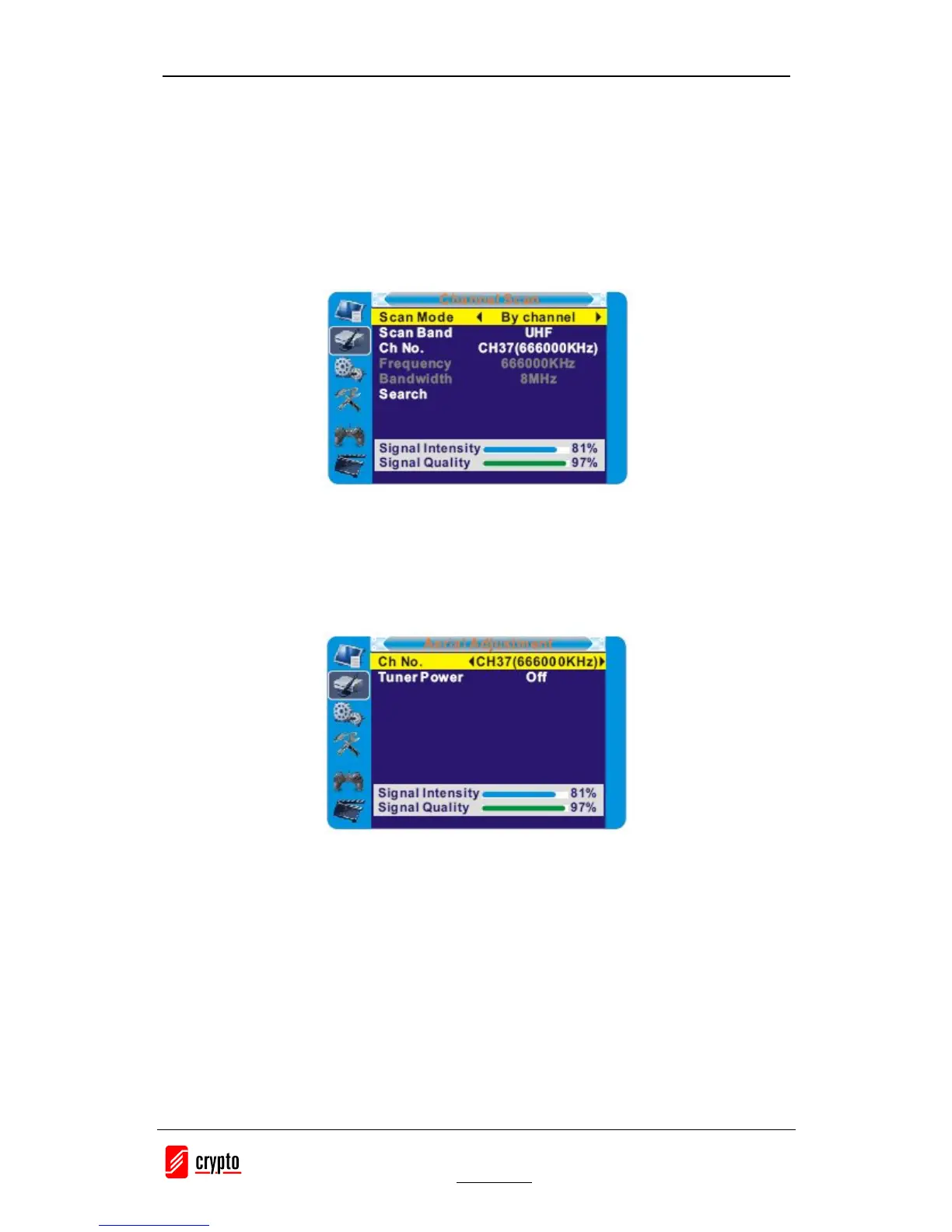
3.2.2 Channel Scan
1. Select "Channel Scan", press the "OK" button to enter the Channel Scan menu.
2. Press cursor button to set Scan mode, Scan Band, Channel No., Frequency and Bandwidth,
then highlight "Search", press "OK" button to start channel scan .
Channel Scan mode:
-By channel
-By frequency
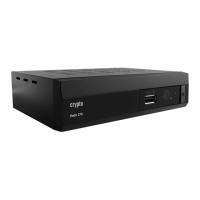
3.2.3 Aerial Adjustment
1. Select the "Tuner Power", press"OK" to enter the Aerial Adjustment.
2. Press the cursor button to set the desired setting. When "Tuner Power" is selected "On", the
STB will provide 5V power to the antenna. It will not provide anything when"Off" is
selected.
3.2.4 LCN
If LCN(Logical Channel Number) Select function is activated, you can't change the original
number of TV channels by scanning .
You can activat e/deactivate the LCN function by setting the "LCN Mode" to on/off.


 To Next Page