Korinthou 11, 14451 Metamorfosi Τel: 210-8098700, Fax: 210-6122512
Site: www.crypto.gr, Email: crypto@crypto.gr
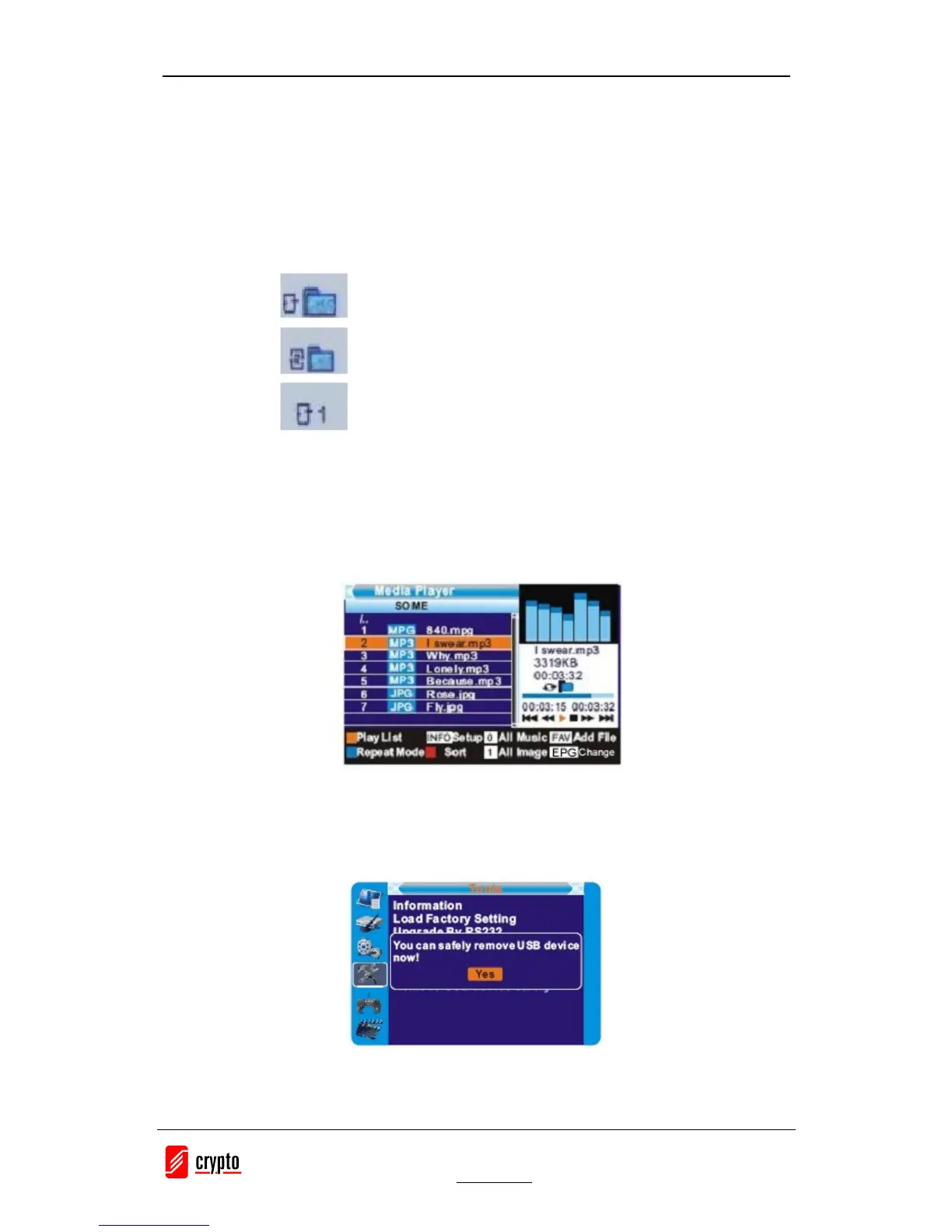
· Yellow Key: The “Please select play list type” operation window will be shown by
pressing Yellow key. After that, the user can play the image or music by choosing the
files. If here is no file in the directory, an operation window “This type of play list
doesnot exist” will be shown.
· INFO: Set up slide show of images.
· Blue : To rotate among the 3 repeat modes provided as below:
· EPG : Change the different disk.
7.6 Remove USB device safely
In "Tools" menu, select "Remove USB device safely", Press "OK" button to confirm. Then a
window is displayed. Press "OK" button again.


 To Next Page