Korinthou 11, 14451 Metamorfosi Τel: 210-8098700, Fax: 210-6122512
Site: www.crypto.gr, Email: crypto@crypto.gr
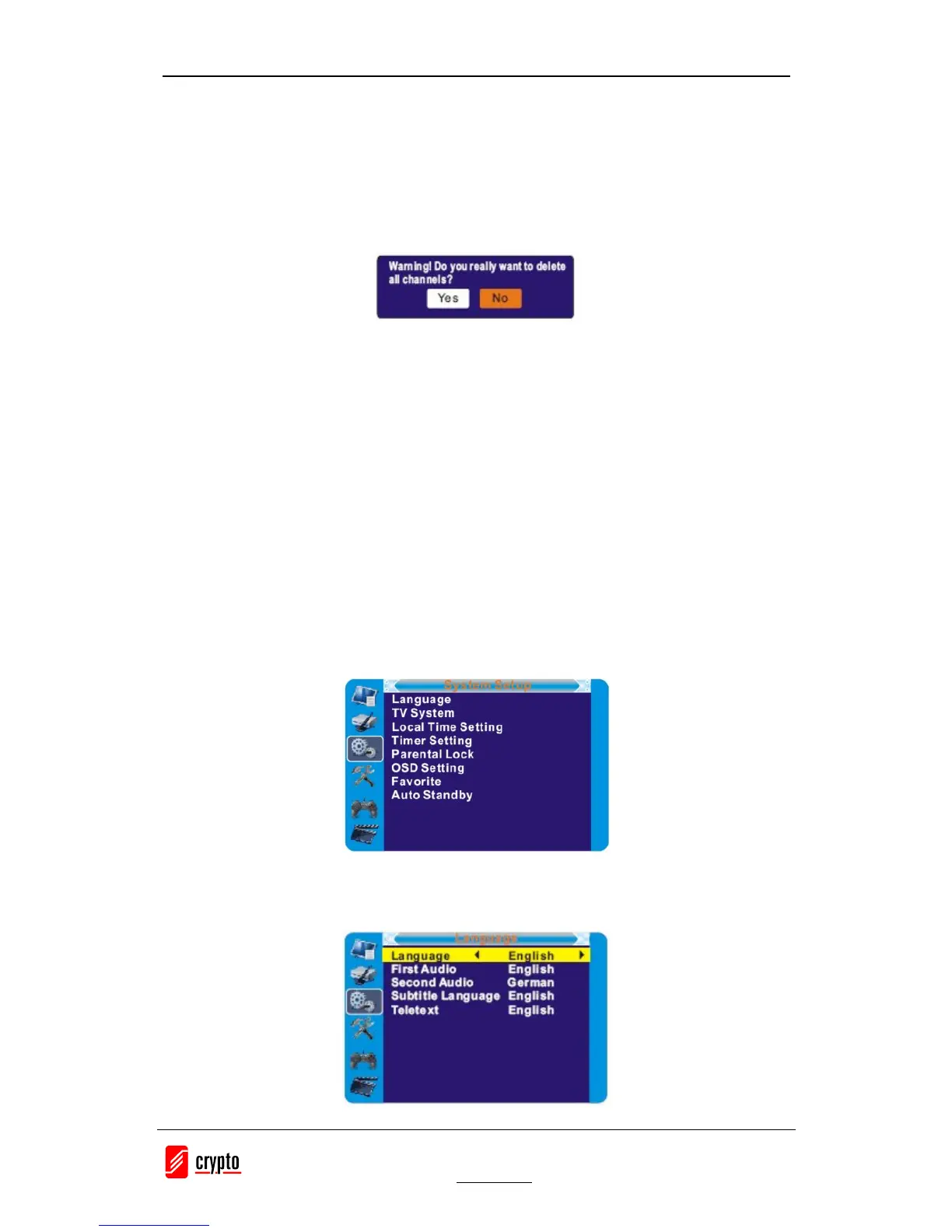
5.4 Delete All
1. In the Edit Channel menu, select "Delete All", press "OK" button.
2. A warning window appears.
Select "Yes", press "OK" button to delete all channels.
Select "No", Press "OK" button to cancel deleting.
6. SYSTEM SETUP
6.1 System setup menu
System setup menu allows us to set Language, TV System, Local Time Setting, Timer Setting,
Parental Lock, OSD Setting, Favorite and Auto Standby.
1. Press the "MENU" button to enter main menu.
2. Press "UP" or "DOWN" button to highlight "System Setup", press "RIGHT" button to enter
the System Setup menu.
3. Press "UP" or "DOWN" cursor button to highlight the desired item and press "OK" button to
enter the sub-menu.
4. Press "EXIT" button to exit
6.2 Language
This menu allows you to set Language.


 To Next Page