Korinthou 11, 14451 Metamorfosi Τel: 210-8098700, Fax: 210-6122512
Site: www.crypto.gr, Email: crypto@crypto.gr
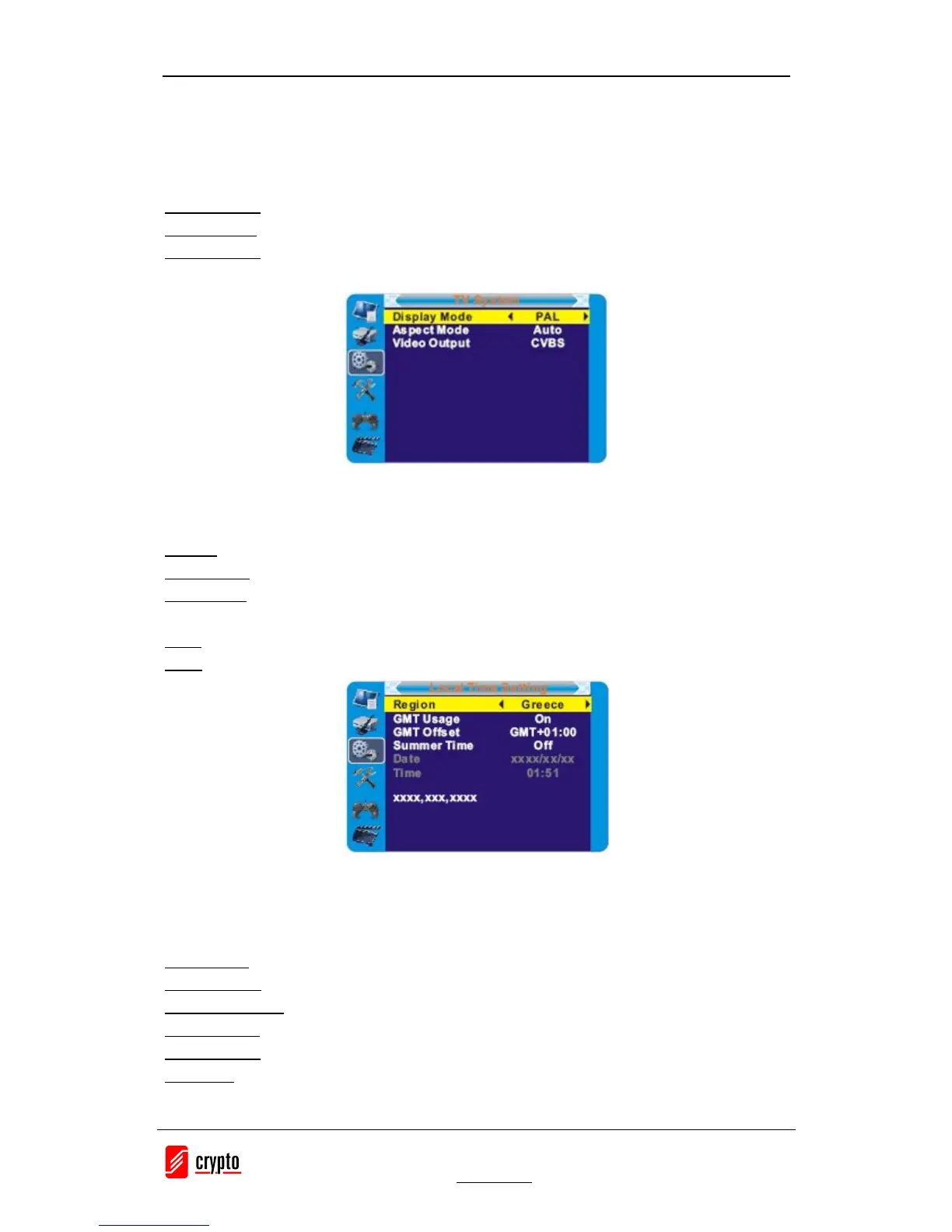
6.3 TV System
This menu allows us to set Display Mode, Aspect Mode, Video Output and Digital Audio
Output.
Display Mode: PAL/NTSC
Aspect Mode: Auto/4:3PS/4:3LB/16:9
Video Output:: CVBS/RGB
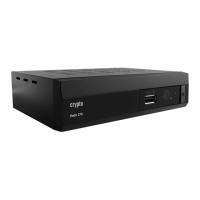
6.4 Local Time Setting
This menu allows you to set the region and time.
Region: This menu is used for changing the region setting.
GMT Usage: This menu is used for opening the usage of GMT. The options are: Off / On
GMT Offset: This menu is valid only when selected "Uesr Define" in GMT Usage menu.
The GMT offset range is "-11:30 ~ +12:00", increasing half hour progressively.
Date: "Date" and "Time" menus are valid only when selected "Off" in GMT Usage menu.
Time: Press "OK" then numeric button to input the time.
6.5 Timer Setting
1. Program Timer: This menu allows us to set the program timer for a scheduled recording or
channel setting.
Timer Mode: Off/Once/Daily
Timer Service: Channel/Record (schedule a video recording)
Wakeup Channel: You can select a desi red ch annel as the wakeup channel .
Wakeup Date: Press "OK" then numeric button to input date.
Wakeup Time: Press "OK" then numeric button to input the time.
Duration: Press "OK" then press numeric button to input the duration time.


 To Next Page