Korinthou 11, 14451 Metamorfosi Τel: 210-8098700, Fax: 210-6122512
Site: www.crypto.gr, Email: crypto@crypto.gr
5. EDIT CHANNEL
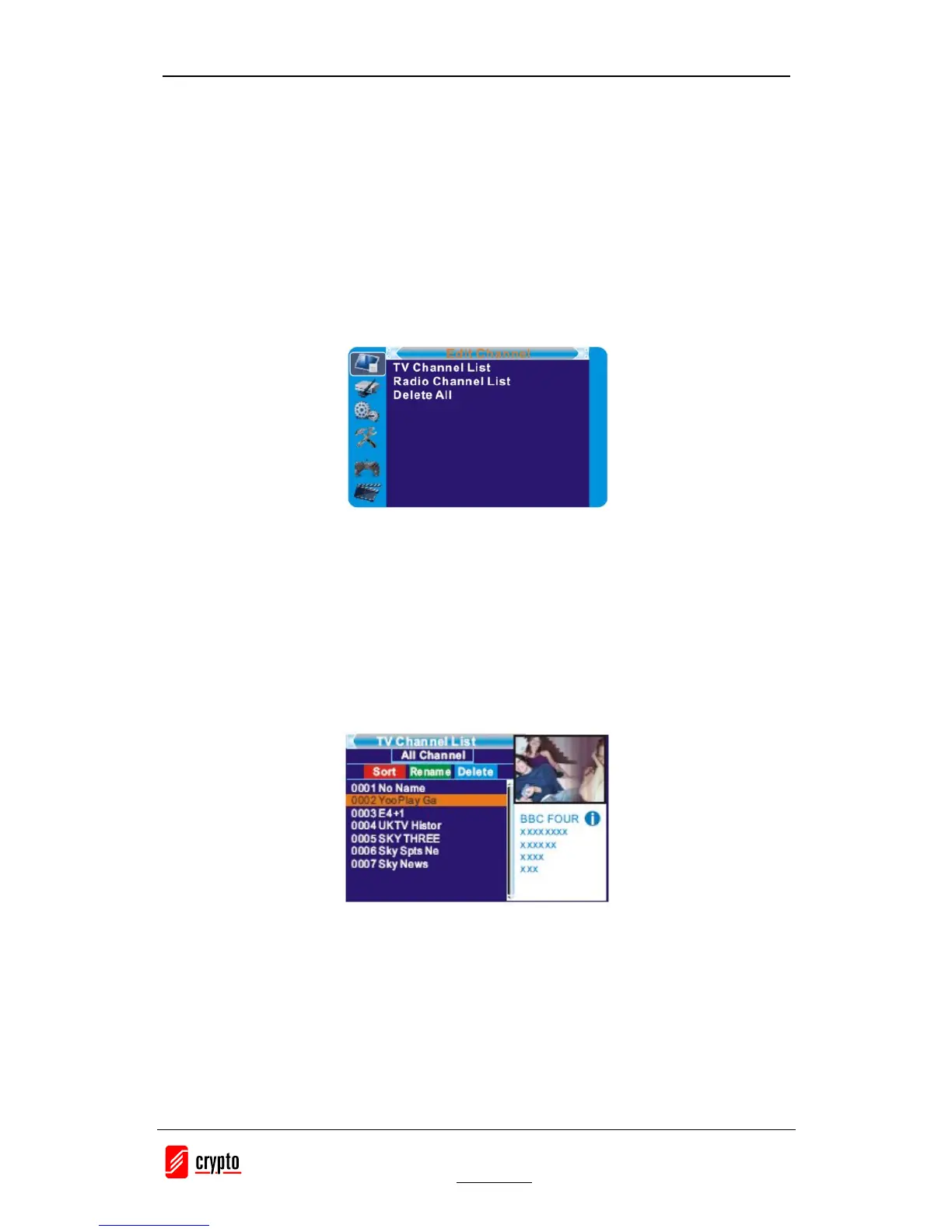
5.1 Edit Channel menu
1. Press the "MENU" button to enter main menu.
2. Press "UP" or "DOWN " button to highlight "Edit Channel", press "RIGHT" button to enter
the Edit Channel menu.
3. Press "UP" or "DOWN" cursor button to highlight the desired item and press "OK" button to
enter the sub-menu .
4. Press "EXIT" button to exit.
5.2 TV Channel list
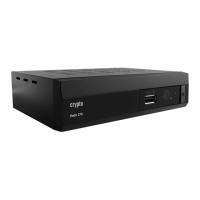
1. In the Edit Channel menu, select "TV Channel List", press "OK" button to enter TV channel
list menu.
2. Press "UP" or "DOWN» button to highlight a channel, press the "OK" button to preview the
desired TV channel.
- Use this menu to favor, lock, skip, move, sort, delete and rename a channel.
(1) Press "FAV" button, then press "OK" button to edit the FAV function.
(2) Press "color" button, then press "OK" button to edit the corresponding function.
5.3 Radio Channel list
1. In the Edit Channel menu, select "Radio Channel List", press "OK" button to enter the Radio
Channel list menu.
2. Press "UP" or "DOWN" button to highlight channel press the "OK" button to listen the
desired TV channel.
NOTE: Basically, the operation of "Radio Channel List" is the same as "TV Channel List", but
there is one point different: In "Radio Channel List" mode, there is no video information, so it
will always display Radio's logo in the right side preview window.


 To Next Page