4. OPERATION
4.1 Changing Channels
There are three ways of channel selection - stepping through the channel list, selection by
number and from the on-screen channel list.
1. Stepping through the channel list:
To m ov e th r o ugh t h e channe l list, press the u pwa r d a rrow o r dow n wa r d a rrow k e y o n t h e
remote control.
2. Selected by number:
Enter the channel number directly by pressing numeric buttons, and press the "OK" button to
select desired channel.
3. Selected by on-screen channels list:
You can al so sele ct the re qui r ed channel di r ectl y f rom on- screen channel list. T his i s di splayed
using the device main menu. See "Edit Channel" in this manual for operation details.
4.2 Accessing the Electronic Program Guide (EPG)
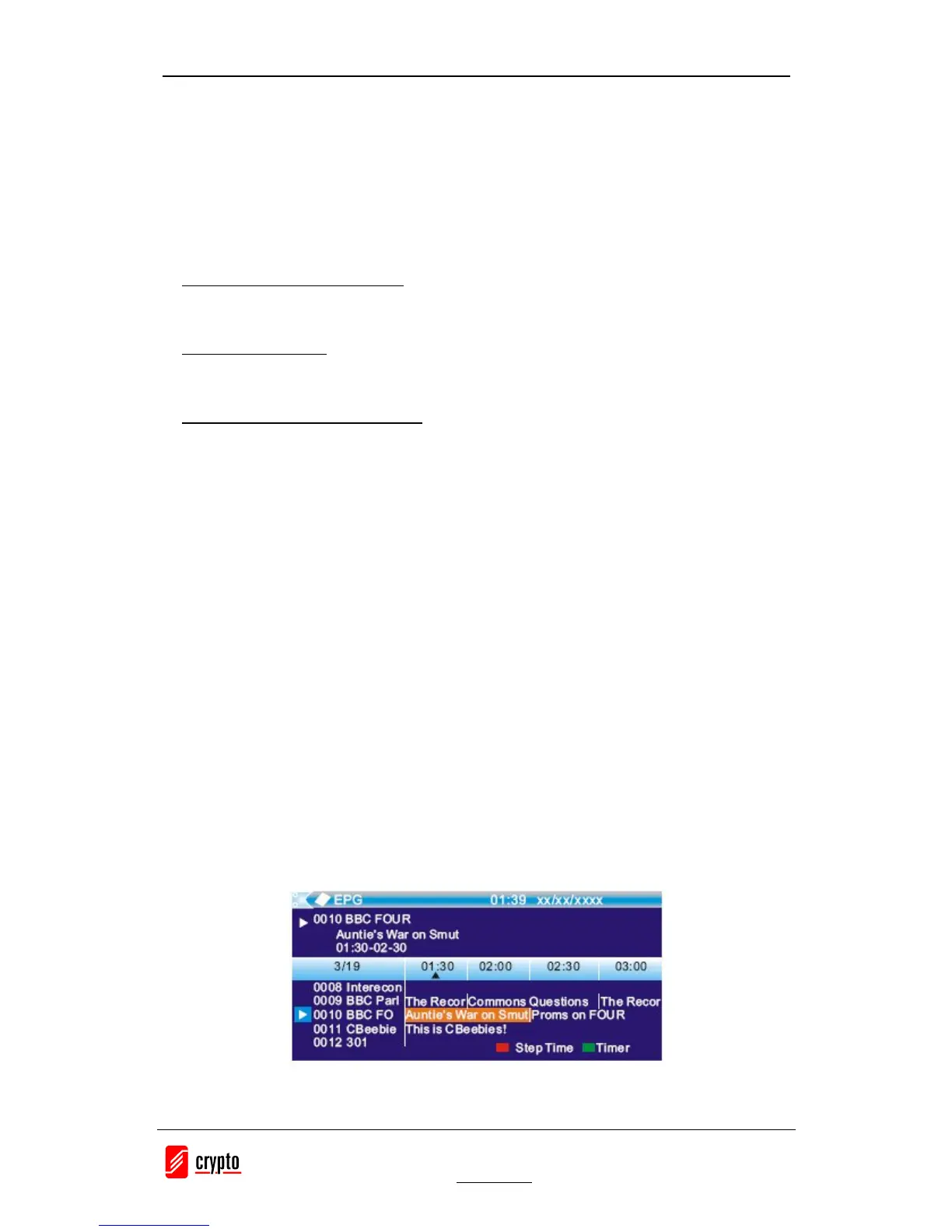
With the DVB-T you can have access to program information any time you want. This feature
is displayed on-screen with functions allowing a viewer to navigate, select, and see content by
time, title, channel etc. Also you can have access to TV guide of any digital channel. To use
this function simply follow the following:
1. Press "EPG" button to enter EPG menu.
2. Press cursor button to switch between channel list, events schedule of the selected channel
and now/next events.
3. Press "Green" button to start Timer settings.
With this option you can set the device to open or close whenever you want, set a channel as
wake up channel and schedule to record any future broadcast.
4. Press "Red" button to enter the "Step time" menu.
With this option you can find information about a program of each channel, based on hours or
days. Eg you can see the program guide of a channel for 2 or 3 days later, etc.
5. If you want to go back on viewing the channel press the "EPG" button again.


 To Next Page