Korinthou 11, 14451 Metamorfosi Τel: 210-8098700, Fax: 210-6122512
Site: www.crypto.gr, Email: crypto@crypto.gr
start writing.
Duration: Press OK and then the numbers to enter the duration of the recording
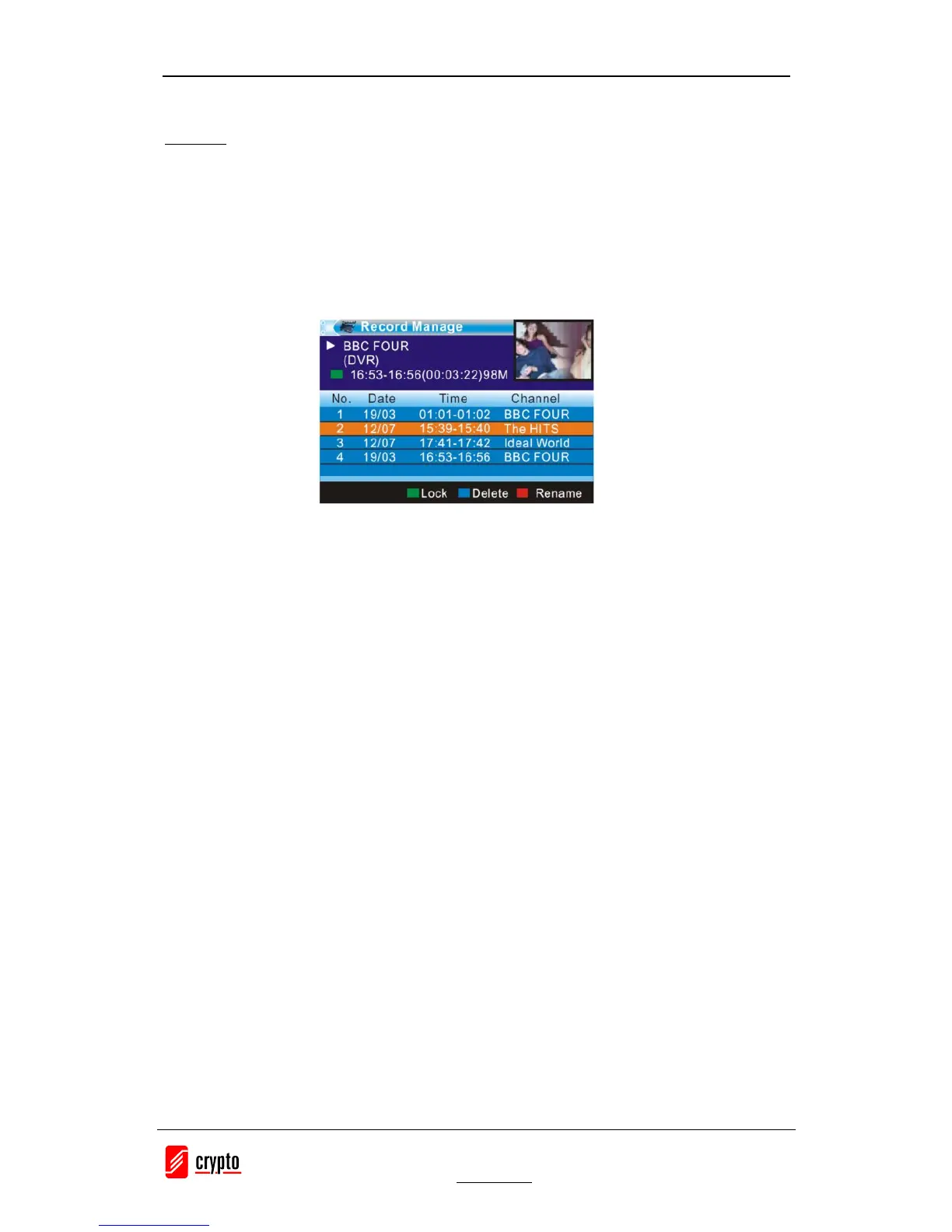
To se e al l t h e p r og ram s y ou hav e r e c orded p ress :
1. Menu <Rec&Media> select “Record Manager” press OK.
2. Press the Up and Down arrow keys to select the desired entry and press the OK to play the
file.
3. Press <EXIT> on the remote to exit the menu.
Note :
· When you write a program in a particular channel you can watch another of the same
group of four digital channels, that belong in the same frequency, at the same time you
make the record.
· When you have programmed a recording for a channel and you are watching another
with the time shift activated when the recording will start the device automatically
deactivate Time Shift and takes you to the channel that is programmed to be recorded.
· During the time that a recording takes place the Time Shift function can be activated in
parallel with the recording only for that specific channel and not for anyone else.


 To Next Page