Record Management New Record Screen: Button Description
Scanshell.net User Guide © 2005 Card Scanning Solutions 25
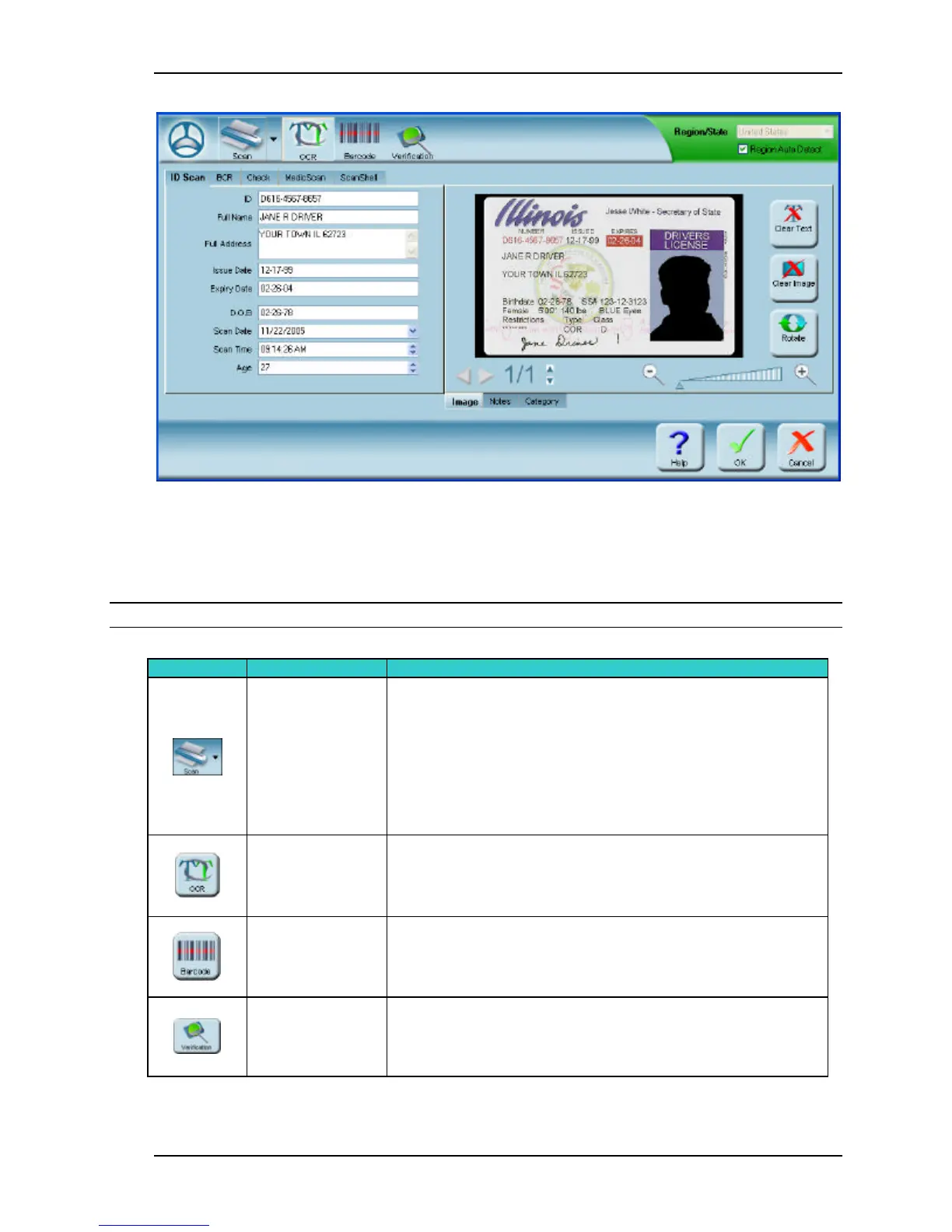
Figure 5-1: The New and Edit Record screen
NEW RECORD SCREEN: BUTTON DESCRIPTION
From top left to right in clockwise direction:
Note: Some of the buttons described here are only available in certain modules.
Select Scanner
Scanning source selection
1. Click on the arrow to select the scanning source:
scanner, file, or magnetic reader (if connected).
The icon on the button will change accordingly
2. In manual mode: Click on the button to start
scanning
Extract data
from OCR
Extract the data from the scanned card by OCR (Optical
Character Recognition)
Extract data
from Barcode
Extract the data from the scanned card's Barcode.
Verification Verify the the scanned card



 To Next Page