EasyManua.ls Logo

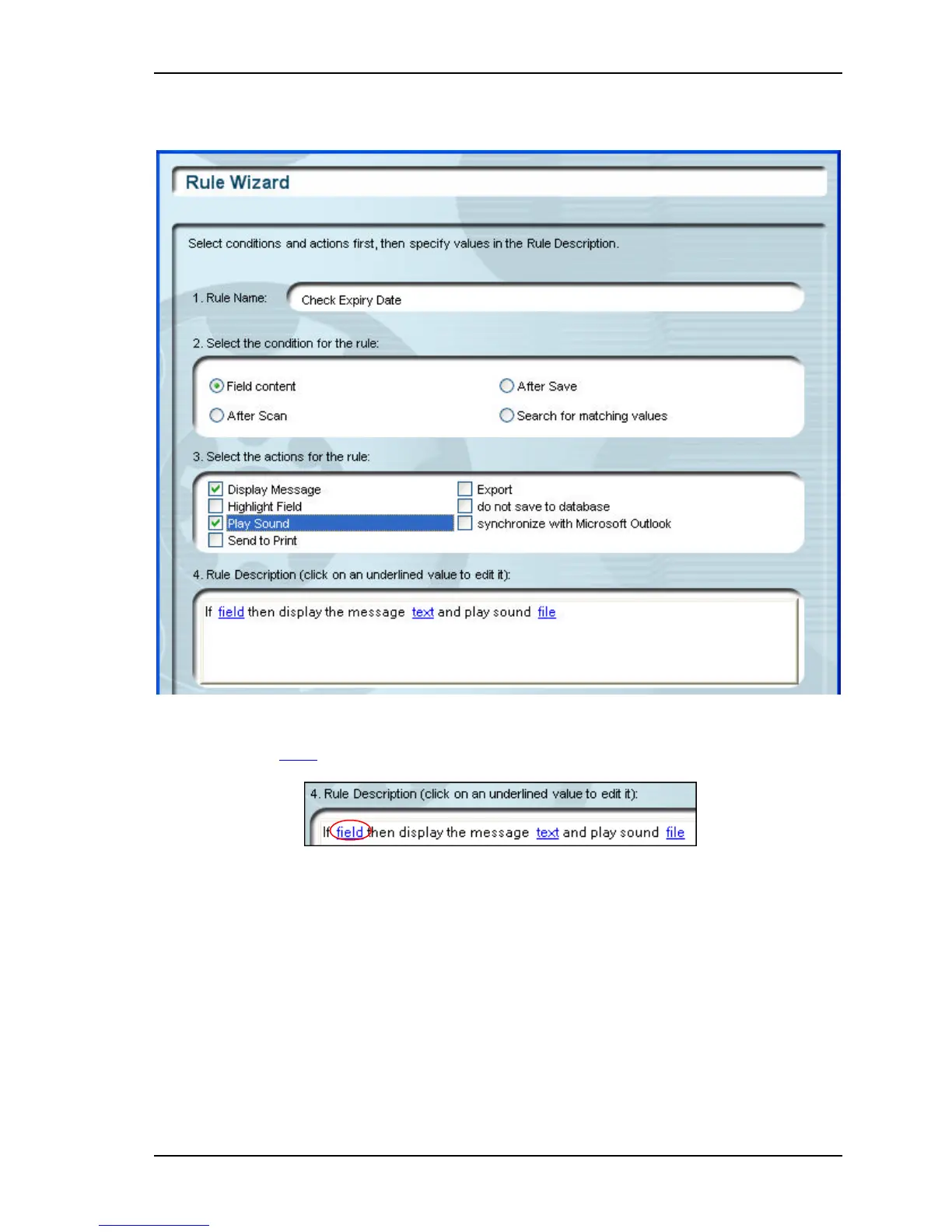
CSSN ScanShell 800 - Figure 14-2: Rule Wizard with Selections According to the Example in this Chapter; Figure 14-3: Rule Details Section in the Rule Wizard

Default Icon
101 pages
Print Icon
To Next Page IconTo Next Page
To Previous Page IconTo Previous Page
Loading...
Rules Creating rules
Scanshell.net User Guide © 2005 Card Scanning Solutions 97
5. Check Display Message, and Play sound in section 3.
Figure 14-2: Rule Wizard with selections according to the example in this chapter
6. Click on the Field hyperlink in section 4.
Figure 14-3: Rule details section in the Rule Wizard

Table of Contents

Related product manuals