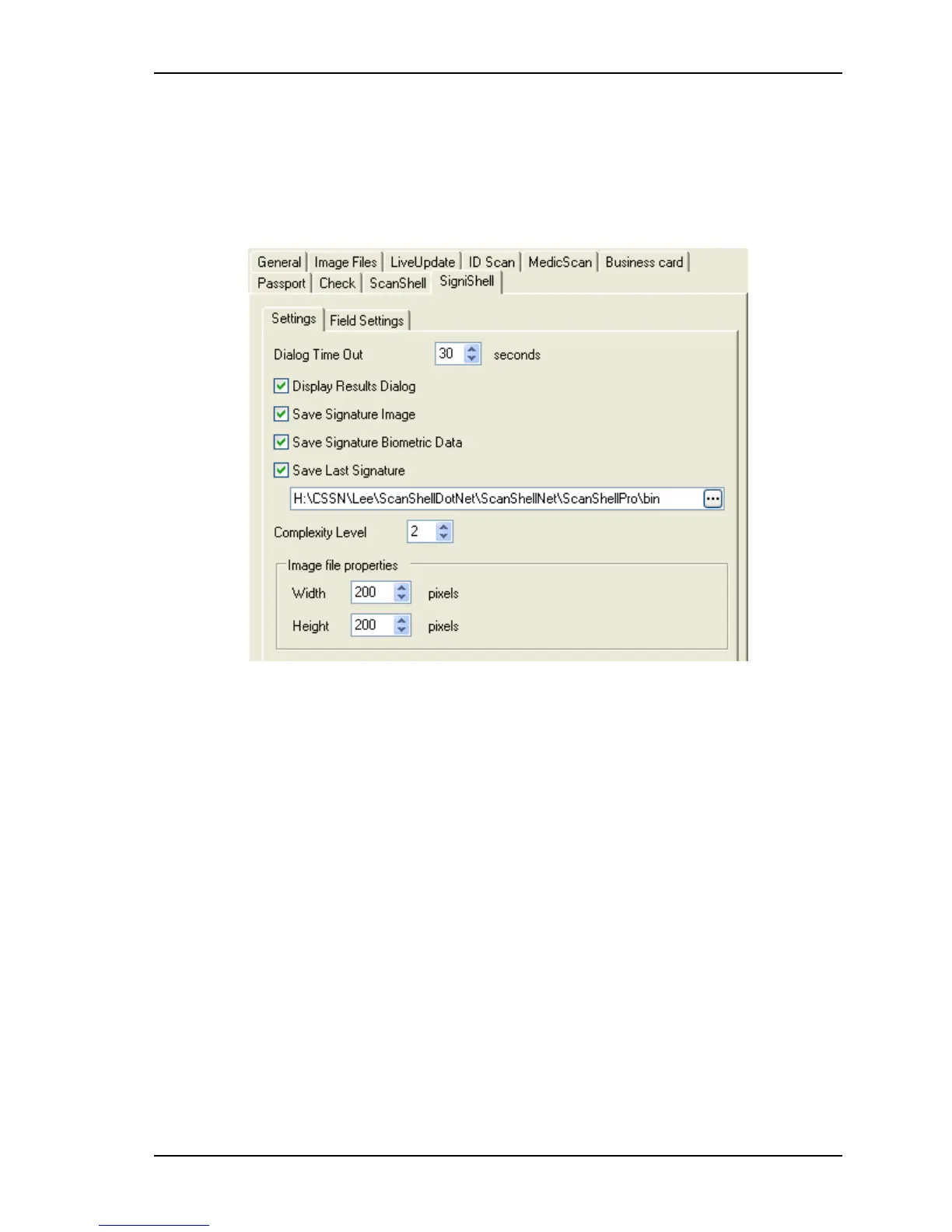
Application Settings SigniShell tab
Scanshell.net User Guide © 2005 Card Scanning Solutions 79
FIELD SETTING TAB
The Passport's Field setting tab is the same as the Field setting tabs in all the other
modules.
SIGNISHELL TAB
9-12: Setup – SigniShell
SETTINGS TAB
Dialog Time Out: The display time out to use for the SigniShell dialogs such as enroll and
validate.
Display Results Dialog: Show\Hide the confirmation and results messages after
completing a process using the SigniShell module.
Save Signature Image: Allow the software to save the signature image when creating new
records.
Save Signature Biometric Data: Allow the software to save the signature biometric data
when creating new records.
Save Last Signature: This will enable\disable the option to save the last signature image
and biometric data to the given path. If a signature data is exists in this path it will be
overwritten.
Complexity Level: Set this value to use more complexity signature or lower value to
simple signatures.
Image Properties: The signature image size.



 To Next Page