Rules Creating rules
Scanshell.net User Guide © 2005 Card Scanning Solutions 98
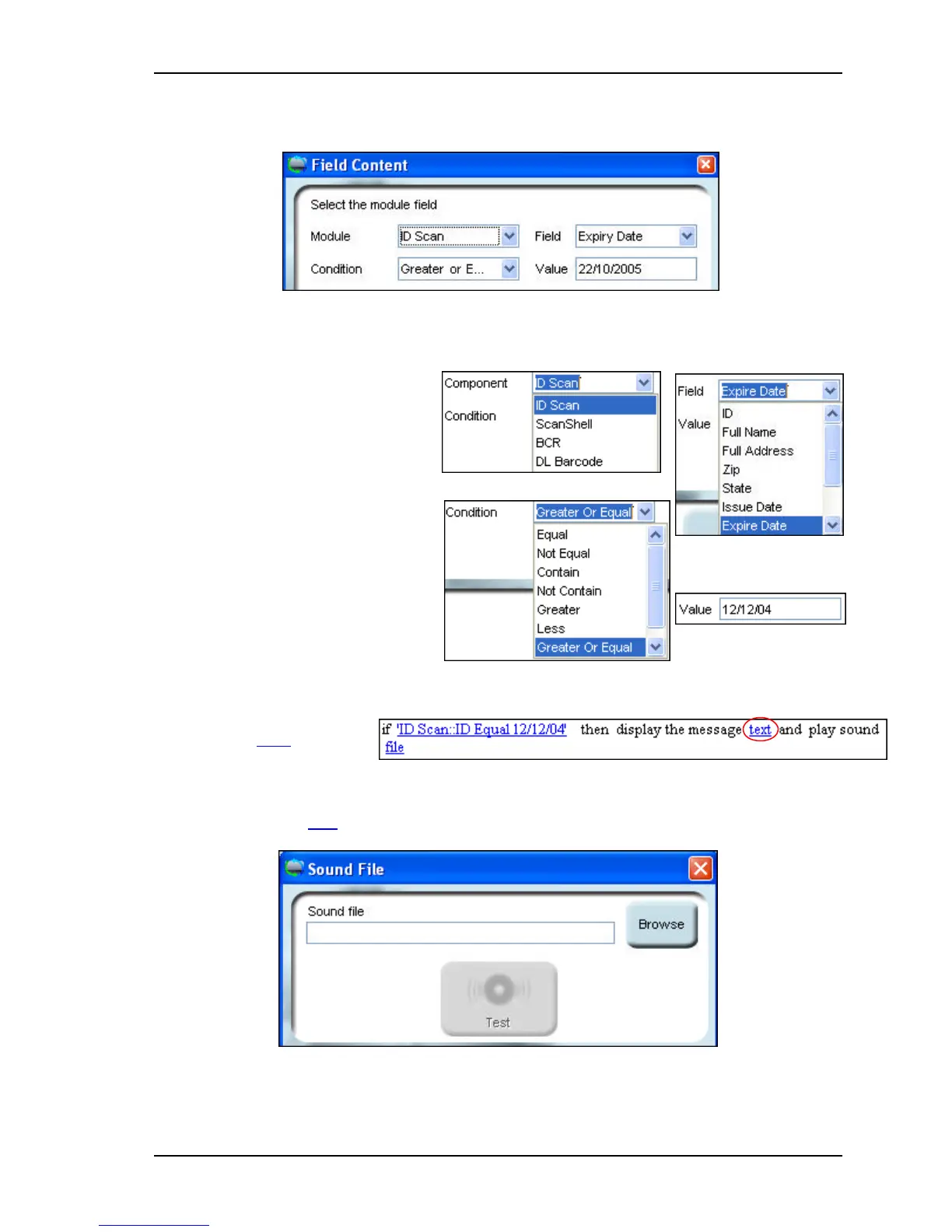
The field content dialog will open:
Figure 14-4: Field content dialog box
7. Select the module to which you
want the rule to apply.
8. Select the condition that defines
your criteria. In this example,
we will choose Greater or
Equal.
9. Select the field to which you
want to apply the criteria. In this
case, we choose Expiry Date.
10. Fill in the required value – in
this case the required expiry
date. Please note that the value
type of this field changes
according to the selected field type.
11. Click OK.
12. Click the Text hyperlink.
13. Type in the text you want to appear in the alert message into the message box, and
click OK.
14. Click the Sound File hyperlink
Figure 14-5: Sound file selection dialog box



 To Next Page