Chapter 2 Installation
8
Chapter 2. Installation
This Switch can be placed on a flat surface (your desk, shelf or table).
Place the Switch at a location with these connection considerations in mind:
z The switch configuration does not break the rules as specified in Section 3.
z The switch is accessible and cables can be connected easily to it.
z The cables connected to the switch are away from sources of electrical interference such as radio, computer monitor, and
light fixtures.
z There is sufficient space surrounding the switch to allow for proper ventilation (the switch may not function according to
specifications outside of the temperature range of 0 to 50 degrees C).
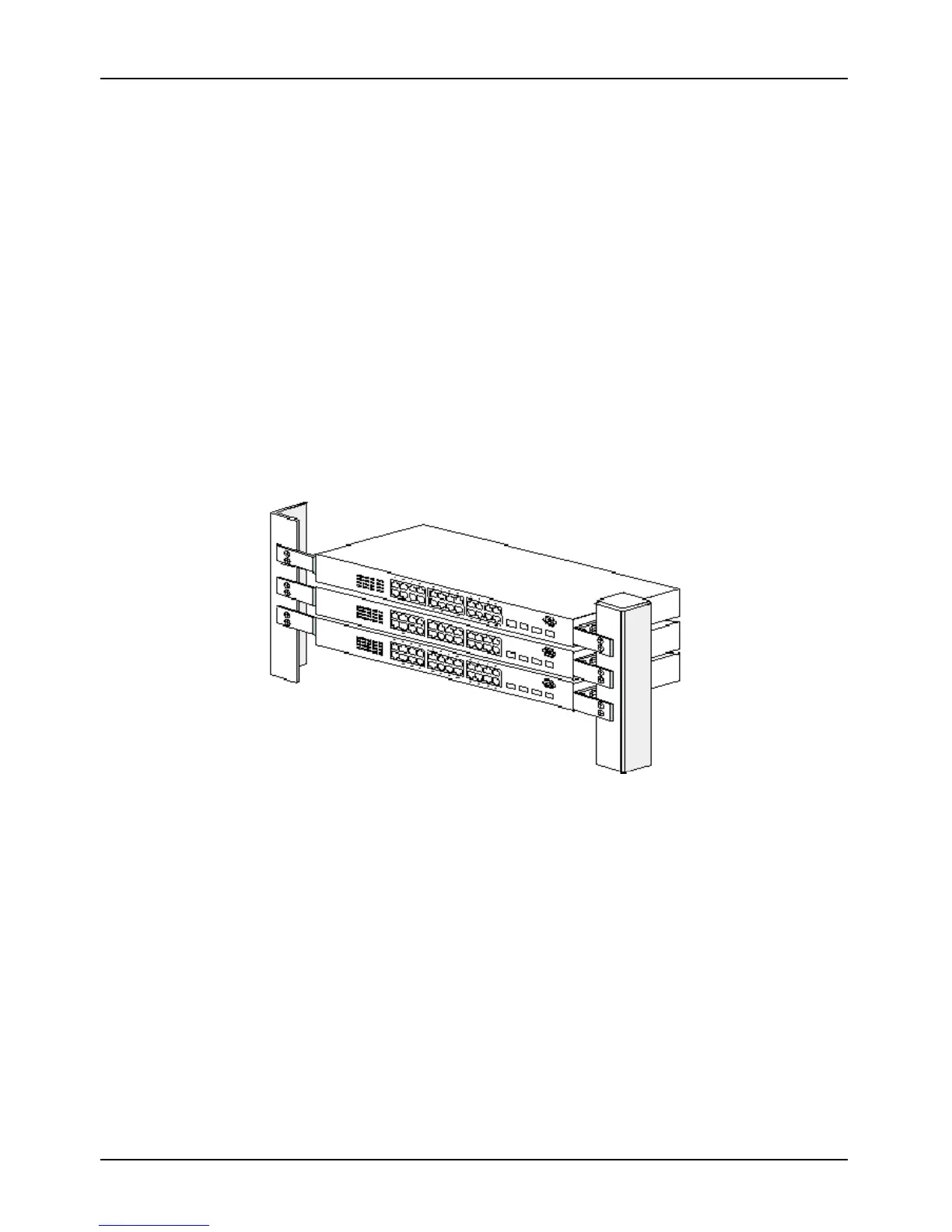
For GSW-3416M / GSW-34224M model, you can also install the switch on a 19" rack with the rack-mount kits as pictured.
<< Rack-Mount Installation >>
Before rack mounting the switch, please pay attention to the following factors:
1. Temperature - Because the temperature in a rack assembly could be higher than the ambient room temperature, check
that the rack-environment temperature is within the specified operating temperature range. (Please refer to Product
Specifications in the manual.) Air flow is necessary in a rack for temperature stable.
2. Mechanical Loading - Do not place any equipment on top of this rack-mounted switch.
3. Circuit Overloading - Be sure that the supply circuit to the rack assembly is not overload after installing this switch.


 To Next Page
 Loading...