Need help?
Do you have a question about the CTC Union GSW-3208M2 and is the answer not in the manual?
Details the GSW-3208M2 switch, its capabilities, and intended use.
Lists key functionalities and supported standards of the managed Gigabit Ethernet switch.
Details technical parameters like standards, connectors, power input, and MTBF.
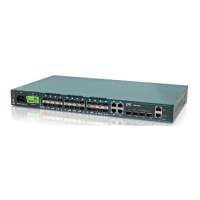
Describes the physical layout of ports, buttons, and LED indicators on the switch's front panel.
Explains the meaning of each LED indicator for status, link, and activity on the switch.
Guides on connecting and performing basic operations via the console port using terminal emulation.
Details accessing the switch via Telnet for remote configuration and management.
Lists and explains available commands for switch configuration and management via the CLI.
Accessing the switch's web interface and the initial login procedure with default credentials.
Covers device settings including IP, time, logging, and auto-provisioning configurations.
Details configurations for electrical and fiber ports, including speed, duplex, and flow control.
Explains user management, authentication, SNMP, access control, and security features.
Configuration and status of STP, RSTP, and MSTP for loop prevention and network stability.
Configuration of traffic prioritization, policing, scheduling, and DSCP for network traffic management.
Procedures for restarting the device, factory reset, and software/configuration management.
Provides definitions for technical terms and abbreviations used throughout the manual.

 To Next Page
 General