39
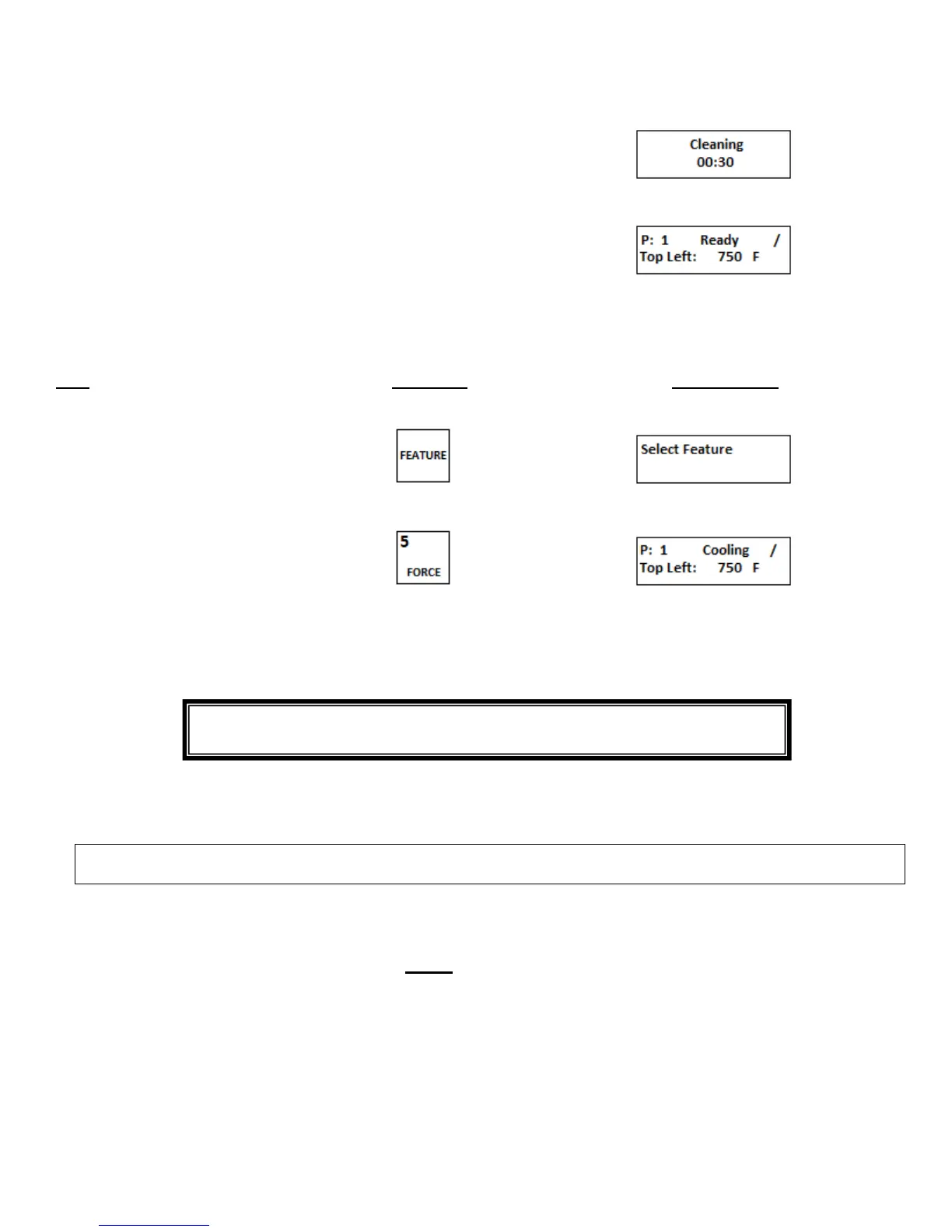
2. Display will count up from 60:00
to 00:00
3. After the Clean cycle has completed
the preset menu prior to the Cleaning
cycle is re-initiated
i. Cancel cleaning operation
Step Press Key Display Reads
1. Press FEATURE key
2. Press FORCE key
3.The oven deck will return to the
preset menu that was in use prior to
the cleaning cycle
C. Cleaning “Loose” Parts
The following items must be removed from the oven to be cleaned manually.
CAUTION: These procedures should be performed only when the oven is OFF, cool to the touch and the
conveyor is stopped
Crumb Trays: Clean daily. To remove: On the idler side lift and slide the tray toward the front of the oven. On the
drive side lift up the side of the tray closest to the oven, push into chamber slightly, lower outer edge and remove.
Empty residue, wash, rinse and dry thoroughly. Re-install.
Note: These trays are made of aluminum, do not use commercial oven cleaners, this will damage the trays.
Exit Trays: Clean Daily. To remove: Lift off from end of conveyor. Wash, rinse, and dry thoroughly.
Heat Curtains: Clean as needed. Unhook heat curtains from the rods above the entrance and exit end of the
oven. Wash, rinse and dry thoroughly. Re-install.
NOTE: Commercial oven cleaners can be used to clean stainless steel “loose” parts.
CAUTION: Be sure oven is off and cool to the touch and the conveyor is
stopped before attempting to wipe out the oven chambers


 To Next Page