EasyManua.ls Logo

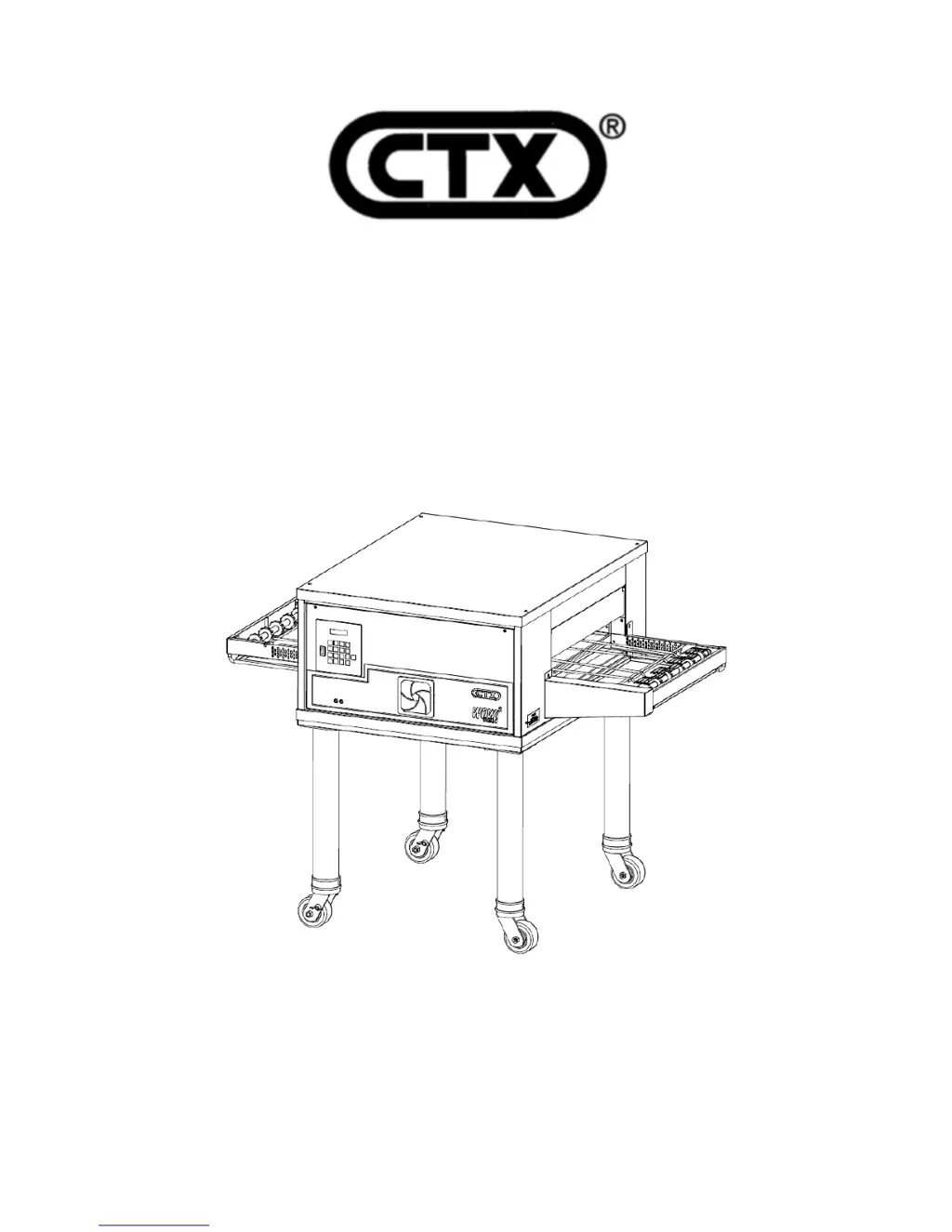
CTX DZ33I - User Manual

CTX DZ33I
53 pages
Print Icon
To Next Page IconTo Next Page
Loading...
DZ33I, English
OWNER’S OPERATING
& INSTALLATION
MANUAL
CTX GEMINI SERIES OVENS
DZ33I
CTX ® 1400 Toast Master Drive Elgin, IL. 60120 847-741-3300
A Middleby Company www.middleby.com
Part No. 69982
7/1/13

Questions and Answers

  • M
    Meredith LewisAug 3, 2025
    Why is my product not cooking in the CTX Oven?
    • E
      edward09Aug 3, 2025
      If your product isn't cooking in the CTX Oven, first ensure the cook time and temperature are set correctly. The conveyor might be running too fast, or the temperature could be set incorrectly. If the display shows a low temperature or zone failure, try turning the ON/OFF switch OFF, then flip the main circuit breakers OFF and ON 2 or 3 times. Also, check for and redirect any possible air flow issues.
  • M
    moorejoshuaAug 10, 2025
    What to do if the conveyor belt stops in my CTX Oven?
    • M
      Maria ChavezAug 10, 2025
      If the conveyor belt on your CTX Oven stops completely or intermittently, first check if the reset is tripped. Next, inspect the conveyor for any jammed objects and remove them. Then, turn the oven off, reset the breaker, and turn the oven back on. Note that if the belt time is 15 minutes or greater, the belt will occasionally stop; this is called belt indexing and is not a problem.
  • J
    Julie BurnettAug 18, 2025
    Why doesn't the display on my CTX Oven show READY?
    • T
      Taylor TuckerAug 18, 2025
      If the CTX Oven display doesn't show READY after 20 minutes, the oven might not have reached the set temperature. This could be due to a contact not closing, a failed temperature probe, or a faulty element. Check the set and actual temperatures for all zones. If the actual temperatures are not within + or - 6°F (-14°C) within 30 minutes, further assistance is needed.
  • T
    tiffanyclarkAug 25, 2025
    How to fix irregular characters on the CTX Oven display?
    • M
      meganherringAug 26, 2025
      If the CTX Oven display shows irregular or illegible characters, first turn the keypad to OFF and then back ON. If that doesn't work, turn the main circuit breakers on the electrical panel OFF and then back ON to completely restart the program. Next, check to see if the filter is clean and the cooling fan is running.

Summary

CTX Oven Description

Component Identification

Identifies and labels the main components of the oven.

Component Functions

Explains the purpose and operation of key oven components.

Oven Specifications and Dimensions

Details the physical dimensions and electrical specifications of the oven.

CTX Oven Installation

Shipping Damage Inspection

Guides on checking for damage upon receiving the equipment.

Oven Placement

Provides guidelines for selecting an optimal location for oven installation.

Stacking Oven Requirements

Lists necessary items for stacking multiple ovens.

Base Section Assembly

Details the assembly procedure for the oven's base stand.

Mounting Single Oven onto Base

Explains how to mount a single oven onto its base.

Stacking and Mounting Two Ovens

Provides instructions for stacking and mounting two ovens.

Stacking and Mounting Three Ovens

Outlines the process for stacking and mounting three ovens.

Stacking and Mounting Four Ovens

Details the steps for stacking and mounting four ovens.

Electrical Connection

Covers essential wiring and electrical connection requirements for the oven.

Loose Parts Identification

Identifies and describes loose parts that are shipped separately.

CTX Oven Operation

Control Panel Overview

Identifies the location and function of the oven's control panel and its components.

MenuSelect Operation and Programming

Explains how to operate and program the oven's MenuSelect™ control system.

Cooking Procedures

Provides guidance on performing cooking trials and optimizing settings for products.

Time and Temperature Guide

Offers recommended time and temperature settings for various food products.

CTX Oven Cleaning

Cooling Fan Filter Cleaning

Details the procedure for cleaning the oven's cooling fan filter.

Oven Self-Cleaning Cycle

Explains how to use the oven's self-cleaning cycle.

Cleaning Removable Parts

Provides instructions for cleaning removable parts like crumb trays and heat curtains.

CTX Oven Maintenance & Troubleshooting

Error Message Guide

Lists common error codes and their corrective actions for troubleshooting.

Troubleshooting Common Issues

Offers solutions for common operational symptoms and problems.

CTX Oven Parts Lists

Oven Parts List

Provides a comprehensive list of part numbers for the oven.

Oven Open Rear View

Shows a diagram of the oven's rear view with components identified.

Front Closed View

Depicts the oven's front appearance with key components labeled.

Front Open View

Shows the oven's front interior with electrical and control components.

Single Belt Conveyor Parts

Details the parts list and diagram for the single belt conveyor system.

Split Belt Conveyor Parts

Provides the parts list and diagram for the split belt conveyor system.

CTX Oven Schematics

DZ331, 208;230 V, 3 Ph Schematic

Presents the electrical schematic for the 208/230V, 3-phase configuration.

DZ331, 380;415 V, 3 Ph Schematic

Displays the electrical schematic for the 380/415V, 3-phase configuration.

DZ331, 230 V CE, 3 Ph Schematic

Shows the electrical schematic for the 230V CE, 3-phase configuration.

DZ331, 380 V CE, 3 Ph Schematic

Provides the electrical schematic for the 380V CE, 3-phase configuration.

CTX DZ33I Specifications

General IconGeneral
BrandCTX
ModelDZ33I
CategoryOven
LanguageEnglish

Related product manuals