38
SECTION 4- CLEANING
Frequent cleaning will help your oven operate at peak performance and efficiency.
Keep your oven clean!
A. Cleaning the cooling Fan Filter
The foam filter and the protective grille of the cooling fan should be cleaned weekly. Daily cleaning may be required if flour
has built up on filter. Snap the protective grille off and wipe clean with a cloth. Remove the foam filter and inspect it. If
dusty, shake briskly. If there is greasy dirt, gently wash in warm soapy water, rinse, squeeze and set aside to dry
completely. Reinstall filter and grille.
CAUTION:
Electrical Components are directly behind the
cooling fan.
BE SURE filter is dry before reinstalling.
B. Oven Cleaning Operation
CTX series oven features a self-cleaning cycle already programmed into the control. When the cleaning cycle is
engaged the control automatically increases all heat zones to 900°F (482°C). When all four hearing zones are at
900 the control will count down from 60:00 till it reaches 00:00 minutes. At the conclusion of the cycle the control
returns the oven chamber to the status in effect prior to engagement of the cleaning cycle. If the oven is
programmed to shut OFF (timing Mode) during the CLEAN cycle the CLEAN Mode will override program and
continue at 900°F (282°C) for the full 60 minutes. Oven will then shut OFF in Timing Mode.
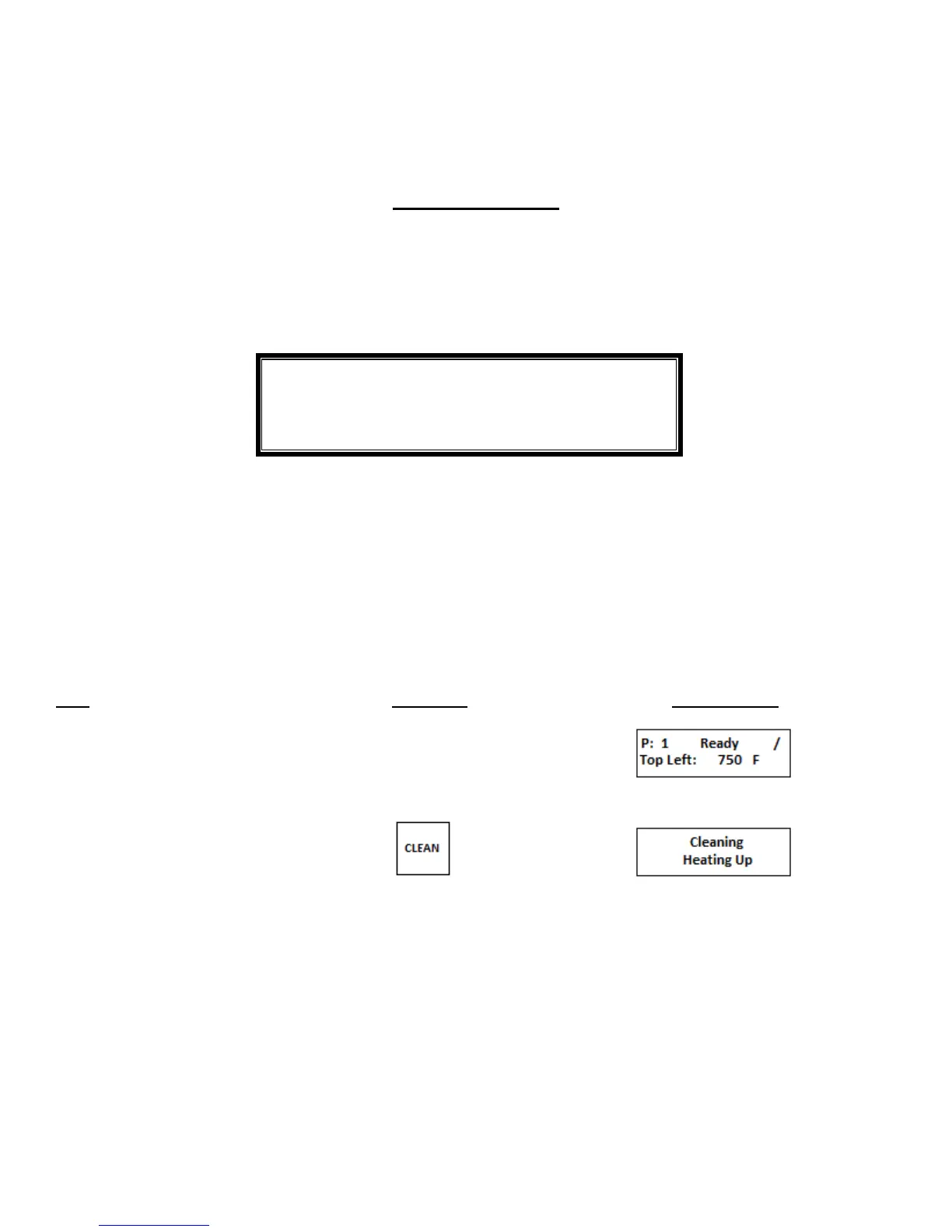
. Cleaning Operation
Step Press Key Display Reads
1. Push and hold for 2 seconds to
start cleaning operation


 To Next Page