© CUB CAMPERS • H16 OWNER’S MANUAL • REVISION 1 – 2/11/2023 PAGE 42 of 53
25. FUSION STEREO
Click for FUSION Stereo User Manual
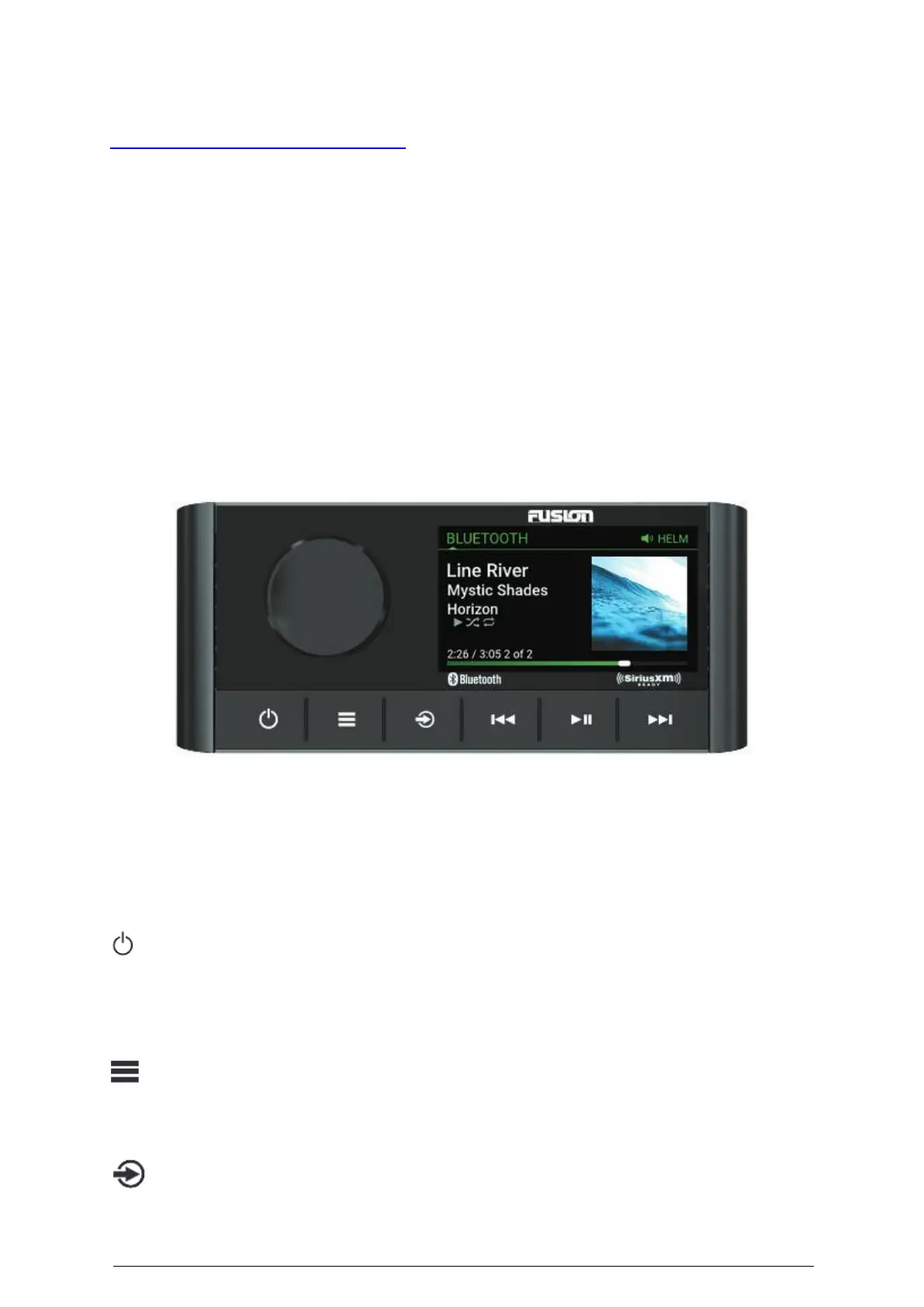
The H16 is equipped with a MS-RA210 Fusion Head Unit located inside the door on the side of
the lounge above the switches. It comes with four speakers, two are located above the bed
and two located outside above the slide out kitchen. It features the ability to customize audio
profiles for two separate audio zones and is compatible with a smart device or Garmin watch.
Audio source options include Bluetooth, DAB+ radio, AM/FM radio, AUX and USB connections.
For more detailed user information please read carefully and refer to the respective Fusion
Owner’s Manuals provided.
FUSION-LINK WIRELESS REMOTE CONTROL APP
You can use the Fusion-Link remote control app on your compatible Apple or Android device
to adjust the stereo volume, change the source, control playback, select and manage radio
presets, and adjust some stereo settings. For information about the Fusion-Link remote
control app for compatible Apple or Android devices, go to the Apple App Store or the Google
Play™ store.
Dial
• Turn to adjust the volume.
• When adjusting the volume, press to switch between zones.
• Turn to move through the menus or adjust a setting.
• When in a menu, press to select the highlighted option.
• Press and hold to activate certain functions such as opening the radio presets.
• Press to turn on the stereo.
• Press to mute the audio.
• Press and hold to turn off the stereo.
• Press and hold for longer than 10 seconds to reset the stereo.
• Press to open the menu.
• Press to return to the previous screen from the menu.
• Press and hold to exit the menu.
Press to change the source.
TIP: You can turn the dial to browse and press the dial to select the source.


 To Next Page