CHAPTER 3: CONFIGURING THE AXN SYSTEM 21
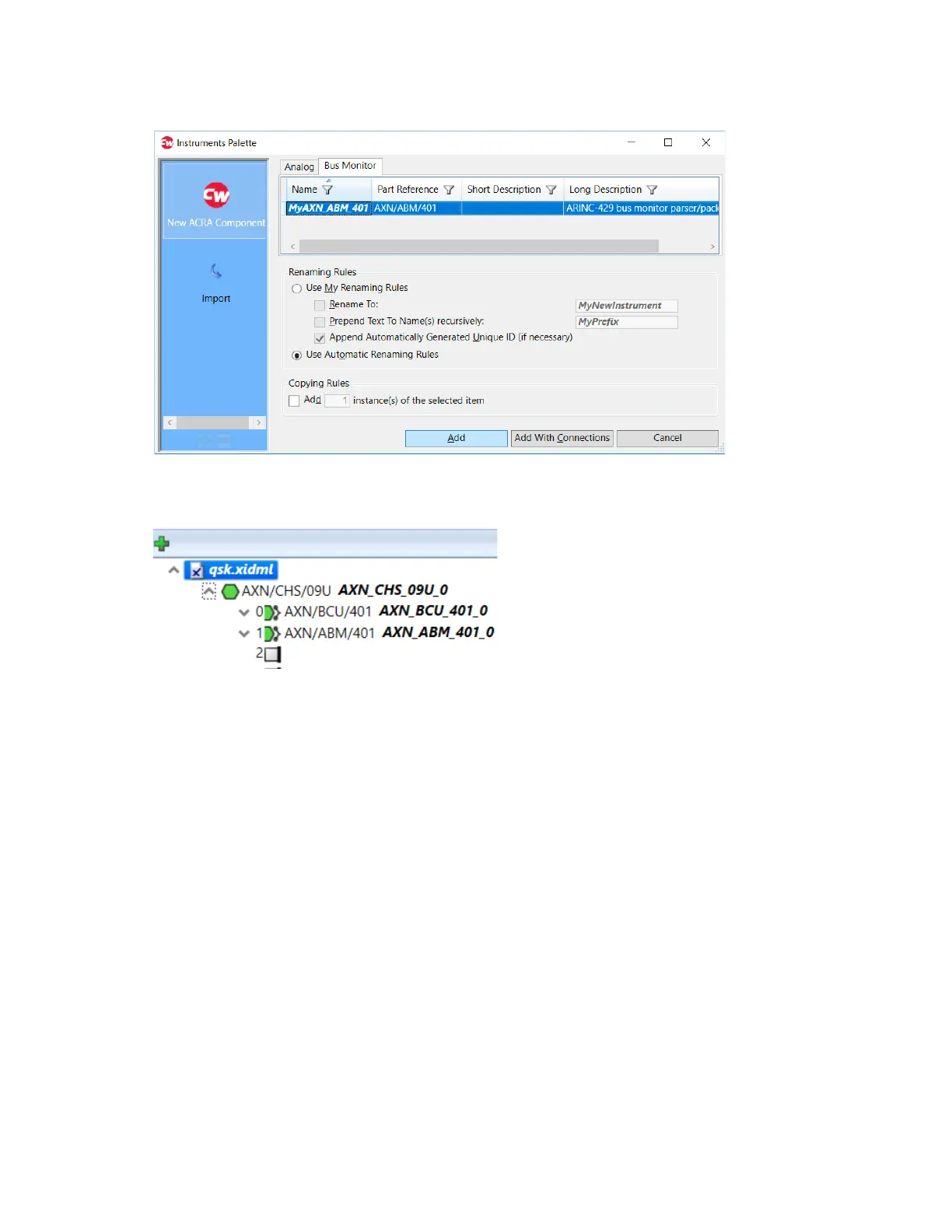
6. Double-click slot 1.
Instruments Palette opens.
7. On the Bus Monitor tab, select MyAXN_ABM_401 and click Add.
The ARINC bus monitor (MyAXN_ABM_401) is added in the Navigator.
When shipped, the AXN extender card (AXN/EXT/401) is installed in slot 4 of the actual chassis hardware.
However, the extender card—and the Axonite chassis (AXN/ITE/01U) that connects to it—are transparent to the
software. Therefore, they are not added to the configuration file. When you install a user module in the Axonite, it is
shown in the software as though it were installed directly in slot 4 of the chassis. See “Installing the Axonite” on
page 57.



 To Next Page